
RFS 6.11 release notes
We continue to grow the Research Funding Solution (RFS) to support institutions in managing their research funding workflows. In this release, we have focussed on continuing development of the RFS Finance integration, which will ultimately allow organisations to pass information from RFS to their institutional finance system to assist with project set-up and to import information about expenditure from the finance system back into RFS. We have also delivered improvements to Review & Approval functionality, aimed at enhancing the user experience by introducing smoother management and oversight of reviews, and reducing the administrative burden in performing certain Management Console actions.
RFS Finance integration
In this release we have delivered the following:
Addition of custom fields to the Projects data model in order to support fuller integration across systems (including External link, Additional finance reference, Finance status, and a flag whether to include the Project in the RFS extract). Details of all custom Project data model fields are available here. To enable any of these fields on your RFS instances, please get in touch.
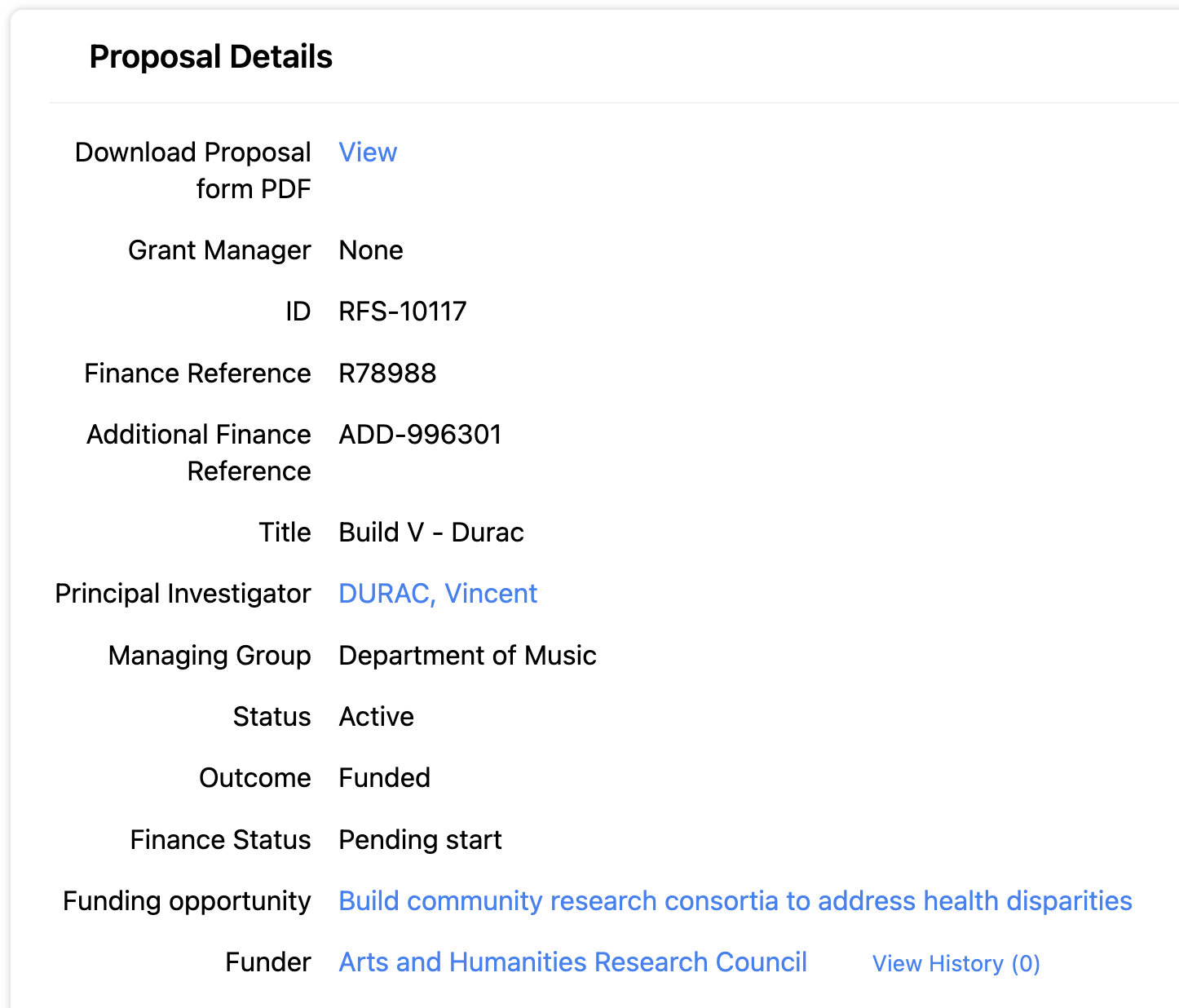
Second phase of data ingestion functionality from institutional finance systems, supporting the import of these newly introduced fields (i.e. External link, Additional Finance reference, and Finance status). Further details are available here.
Updates to the RFS extract of Project information, including the inclusion of different organisation types (supporting head funder / lead organisation to be identified), and enabling the exclusion of selected records from the extract. Guidance on extracting data from RFS is described here.
Review & approval functionality improvements
This release includes a number of enhancements to Review & approval functionality in the Management Console.
Automatic assignment of Reviewers / Reviewer group
Where assigned roles permit, Review groups and/or Reviewers are now automatically assigned to each Review.
Updates to the Manage Reviews screen
We have made a number of improvements to the Manage Reviews screen.
Page layout and tiles
To help increase the visibility of all reviews created and their current status, we have updated each individual review tile to include additional information, such as:
Current status
Review outcome
Review decision
Due date / Date of completion
Direct access to completed review
Direct access to the review history
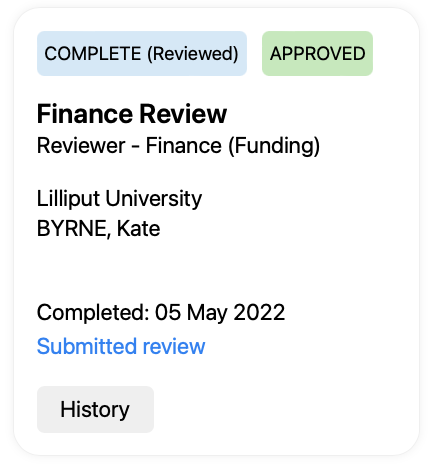
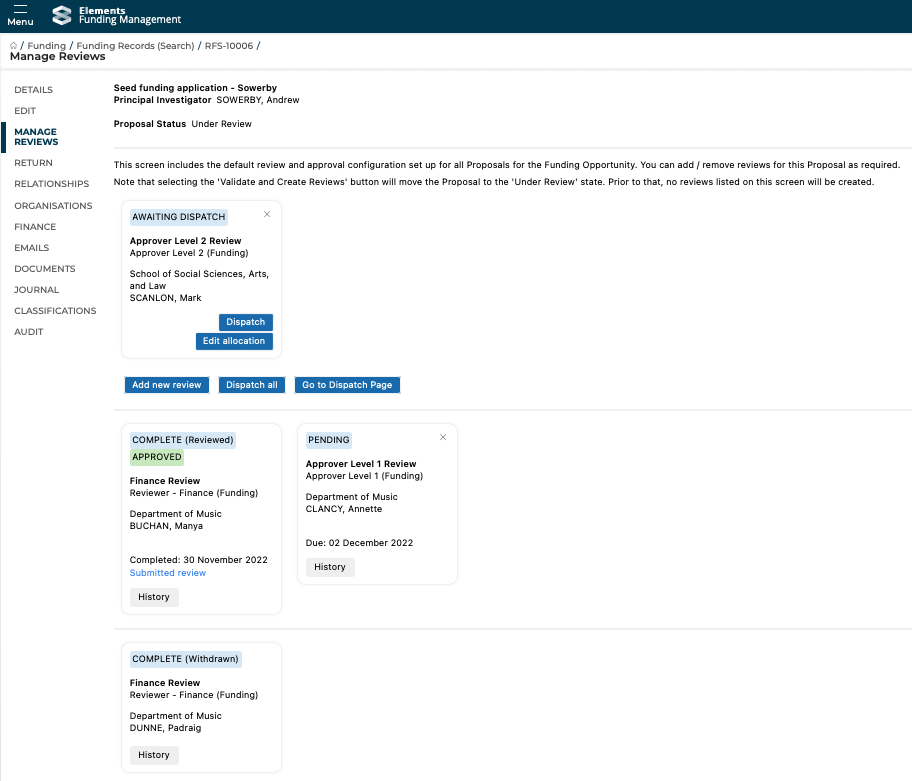
The layout of the page has been updated to group Reviews by current status:
Top section:
Reviews that are awaiting assignment or dispatch
Add new review function
Dispatch function
Middle section
Pending and completed reviews
Bottom section
Withdrawn and closed reviews
Direct dispatch
We have also introduced functionality that enables you to dispatch reviews directly (individually, or all that are ready for dispatch) from the Manage Reviews screen, rather than having to navigate to the Dispatch screen.
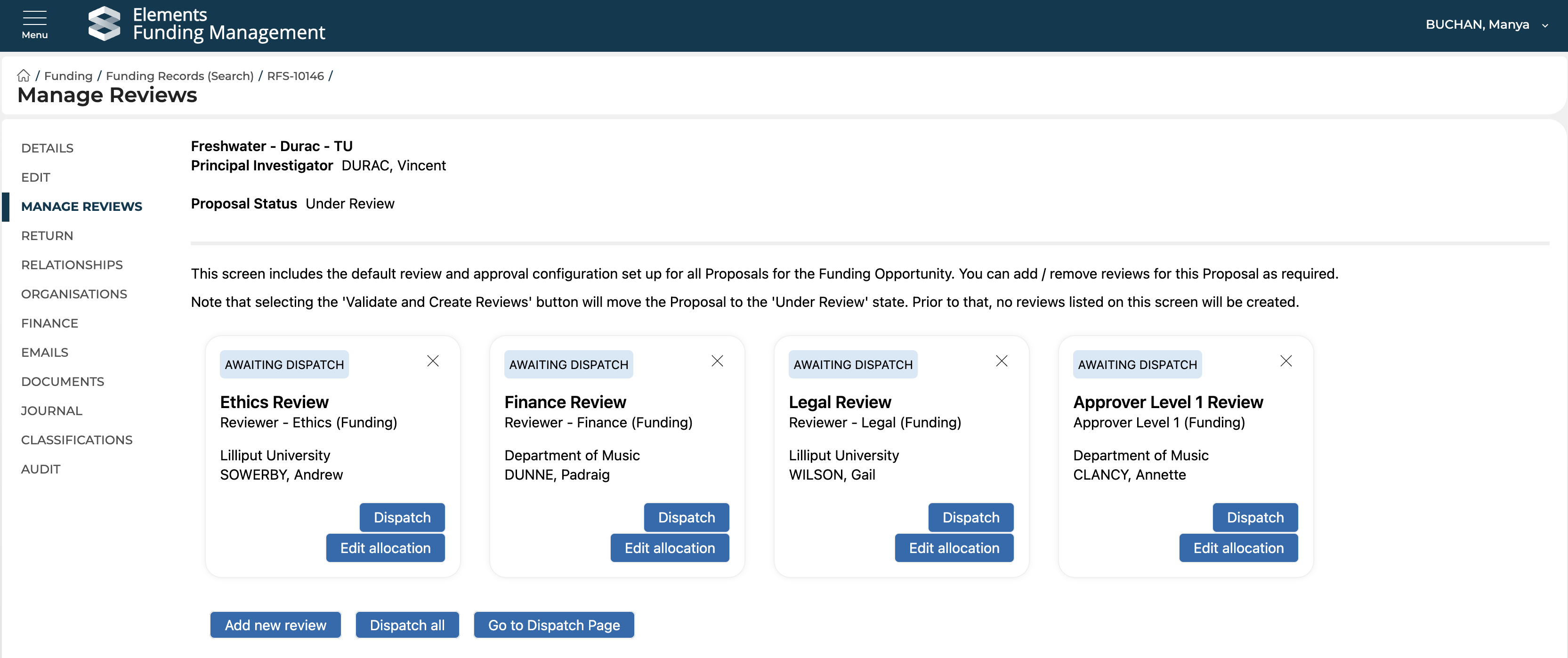
Further details on the updated review / approval assignment and dispatch functionality are available here.
Updated 'Dispatch' screen layout and filters
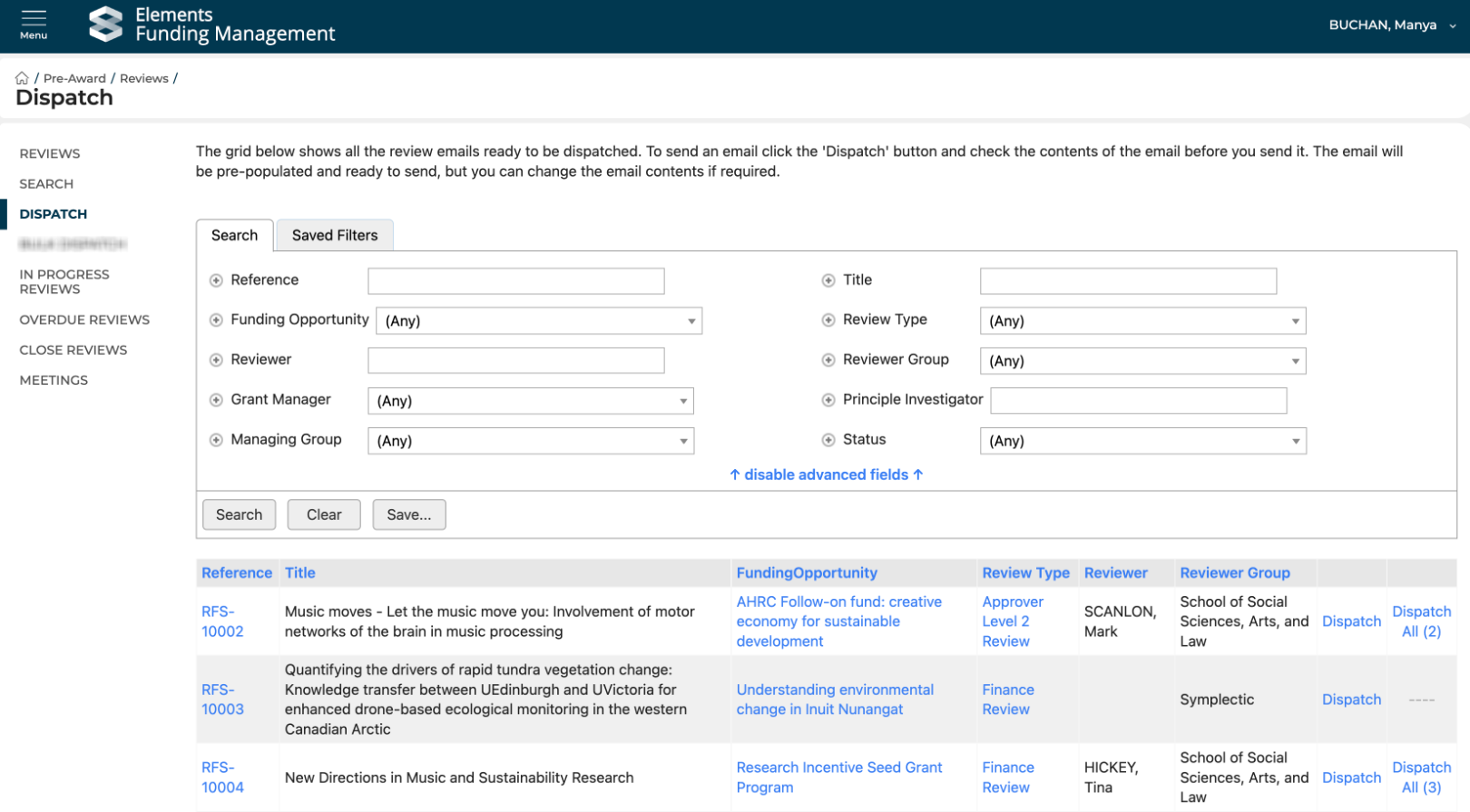
The Dispatch screen has been updated to include additional columns such as Proposal title and Funding Opportunity, with hyperlinks directly to the Proposal, the Funding Opportunity, and the Review itself. New filters have also been added for Proposal title, Proposal status, Managing Group, and PI.
Navigation menu improvements
We have removed a number of Review menu items that were not relevant for RFS - so you should experience cleaner and more streamlined navigation.
Other improvements
Managing Group
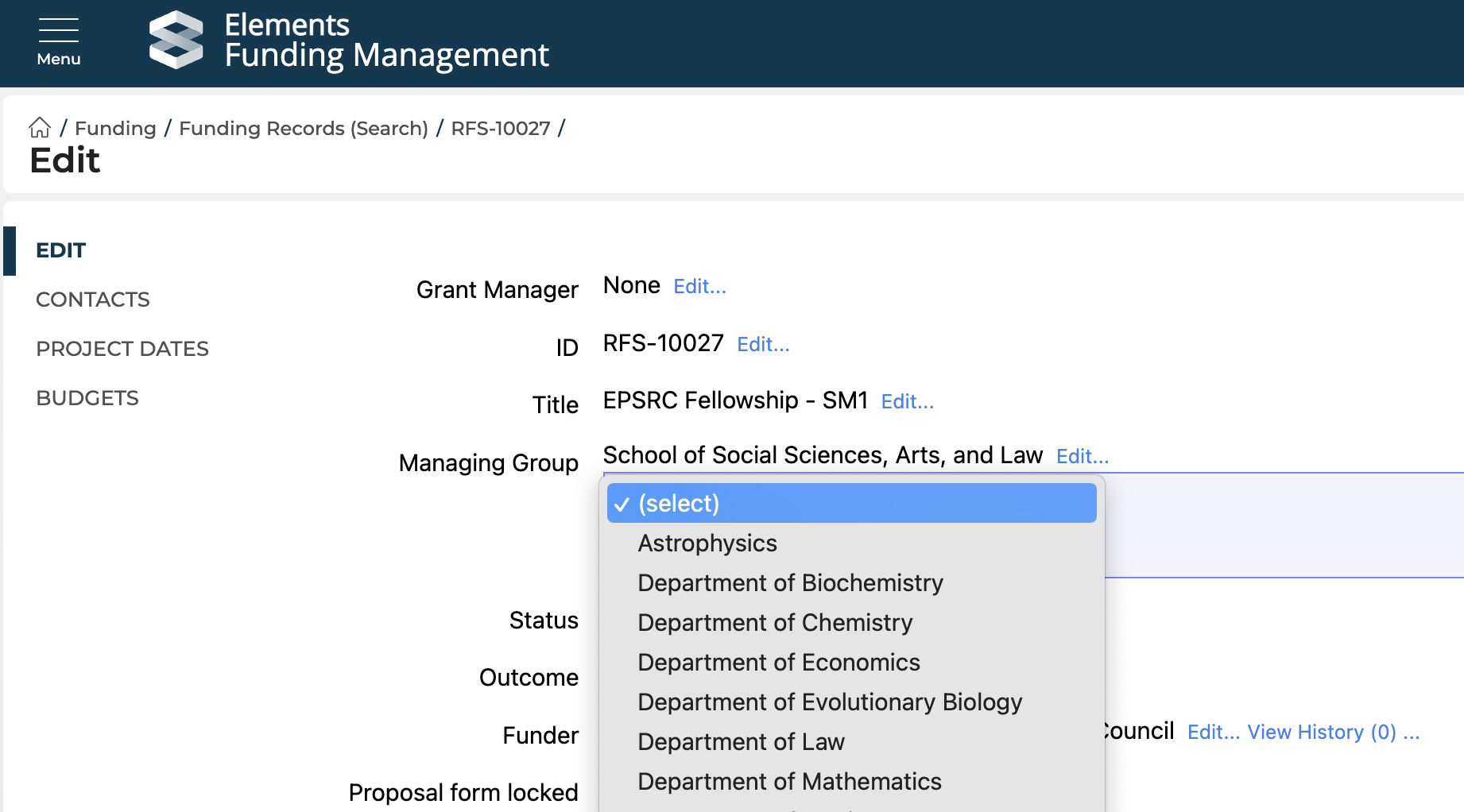
The list of available Groups for selection as a Managing Group on a Proposal in the Console has been updated to include only active Groups.
Group user access
We have made updates to Group Console user permissions(this work is continuing into the 6.12 release).