
Awards Management 7.1 release notes
In this release of the Elements Awards Management module, we are pleased to introduce enhancements to:
simplify the set up of Funding Opportunities,
offer greater flexibility in reviewer and approver assignment,
improve access to user profile information in Awards Management, and
deliver visibility of Finance details on the Project details page in the portal.
This release also contains a number of additional smaller features and enhancements, described at the bottom of this article.
Simplified Funding Opportunity set up
As part of a wider ongoing programme of work to streamline administrator actions in the Management Console, it is now possible to add a Funding Opportunity to the relevant Approval Decision meeting directly on the Funding Opportunity > Edit page, saving users a number of additional clicks. Further details are available in the 'Creating a Funding Opportunity' support article.
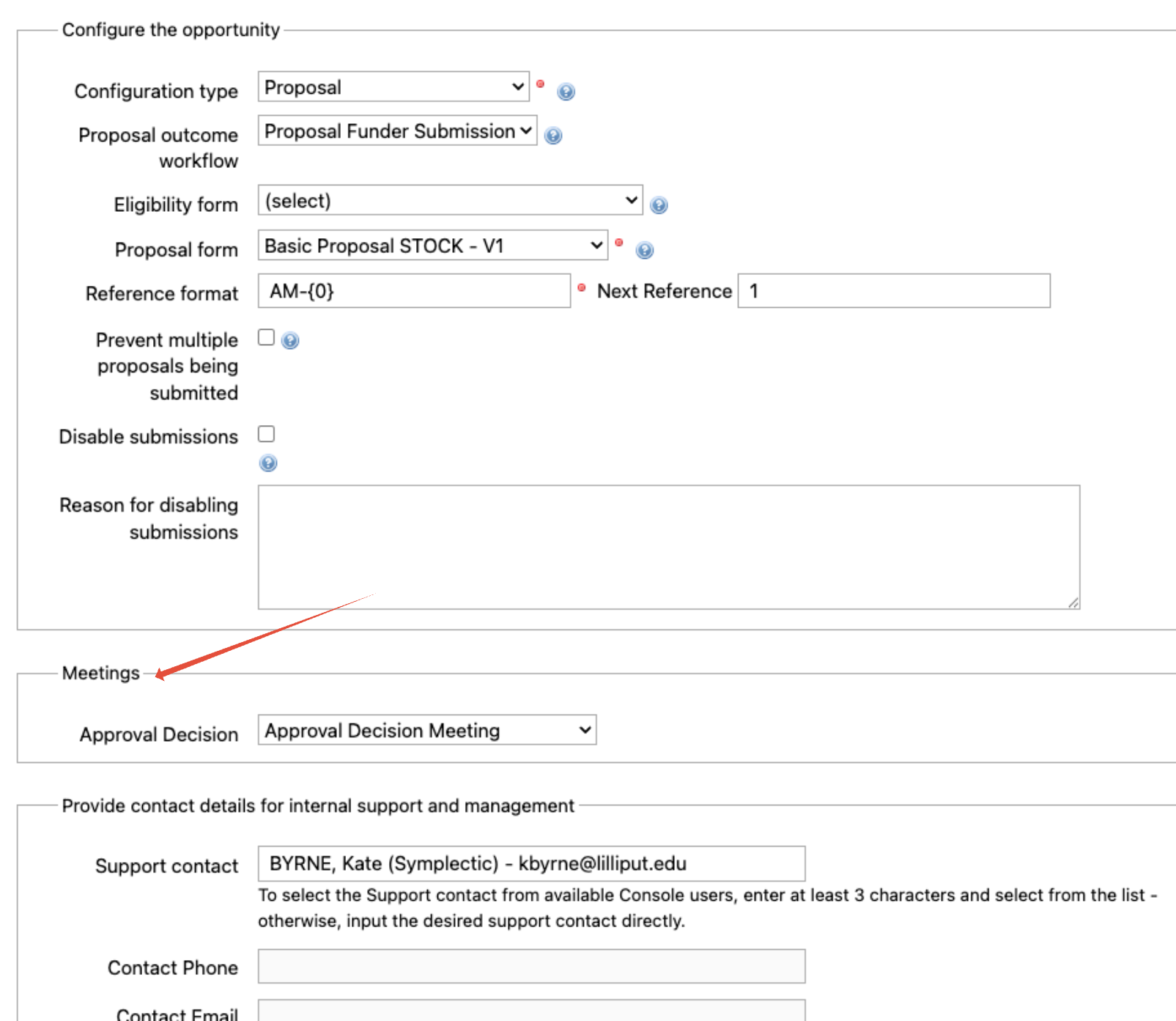
Image : New 'Meetings' section on the Funding Opportunities > Edit page
Greater flexibility in reviewer assignment
In order to better support multi-disciplinary / cross-unit proposals where multiple organisational units need to review / sign off on a proposal, the groups available to select from when assigning reviews is no longer restricted to just the Managing Group (and its parents) of the proposal. The selection of any Group that has the appropriate reviewer role assigned for the relevant review type is now possible.
Further details are available in the 'Assigning and dispatching reviews and approvals' support article.
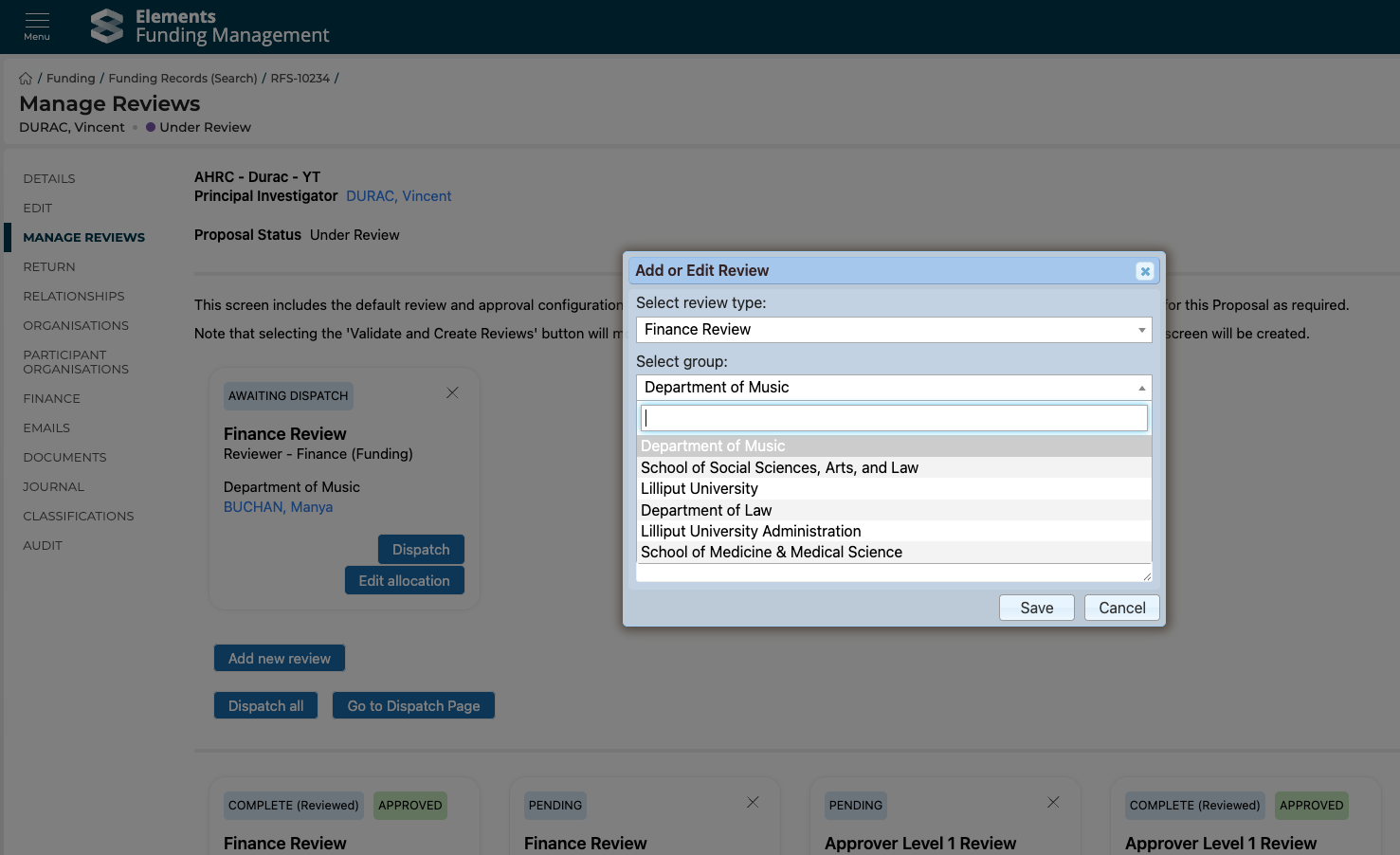
Image : Assigning reviews is no longer restricted to the Managing Group (and its parents)
Improved access to user profile information
As part of a wider ongoing programme of work to integrate more user profile information into Awards Management, we have implemented improvements in two key areas.
Primary position title
We have updated the Contact record in the Management Console to include the Primary position title (sourced from the 'Position' user field in Elements).
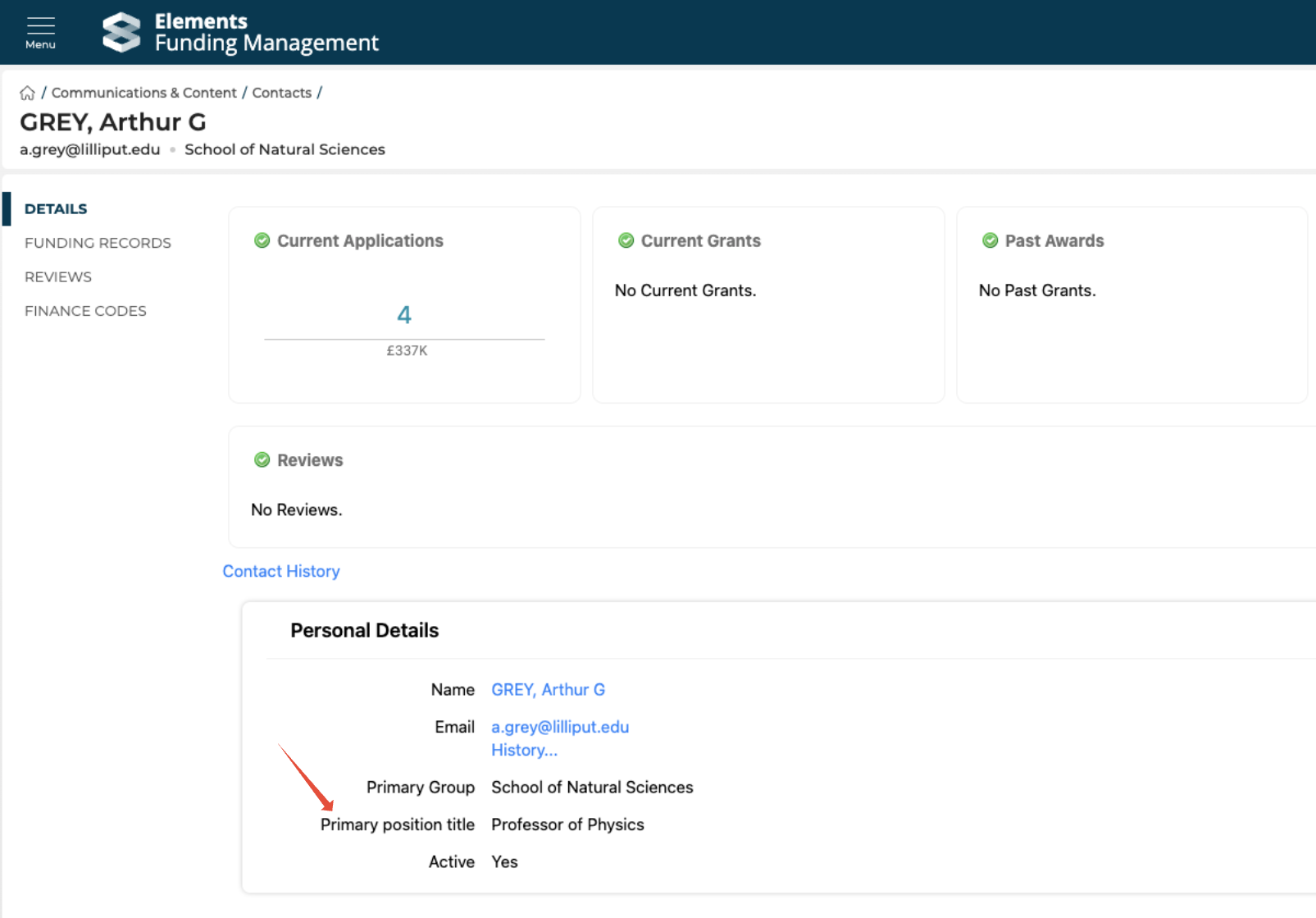
Image : Primary position title now available on the Contact
In an upcoming release, we will also be surfacing this data for project team members in the Proposal form and on the Funding record in the Console.
User profile link
In order to provide relevant colleagues (e.g. reviewers, approvers) with more immediate access to information about the Principal Investigator and/or other project team members, we have updated user name references to now be links out to Elements user profile pages in a number of places:
Portal pages
Proposal and Review form PDFs
Contact details in the Console
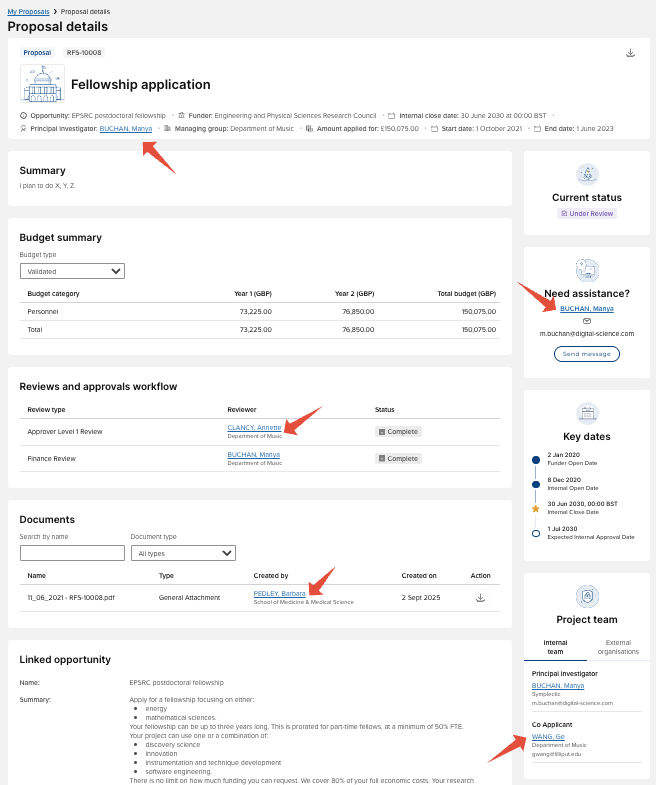
Image : Elements user profile links on the Proposal details page
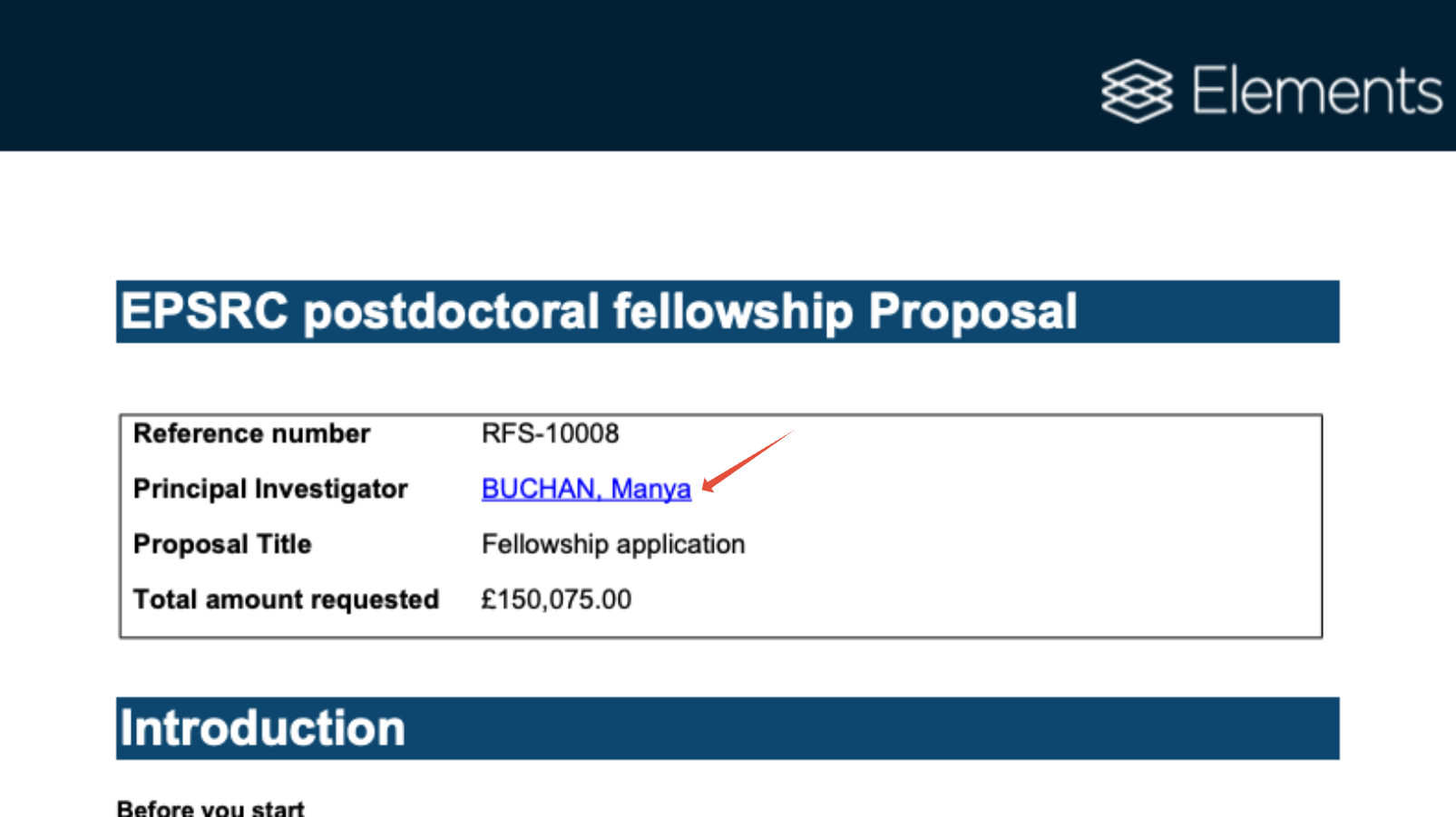
Image : Elements user profile links on the Proposal form PDF
Note that existing PDFs will need to be re-generated to capture the user profile links. Going forward, all submitted forms will include the links automatically.
Improvements to Researcher Awards Management experience
In this Elements Awards Management release, we are pleased to introduce further enhancements to the researcher Awards Management experience (i.e. 'the portal').
We have introduced a new tile to display 'Finance details' such as:
Finance reference
Additional finance reference
External link
Finance status
Total income to date
The tile is hidden if none of the values are populated, and only populated fields are listed in the tile (so, if for example 'Total income to date' is not populated, the field will not be displayed in the tile).
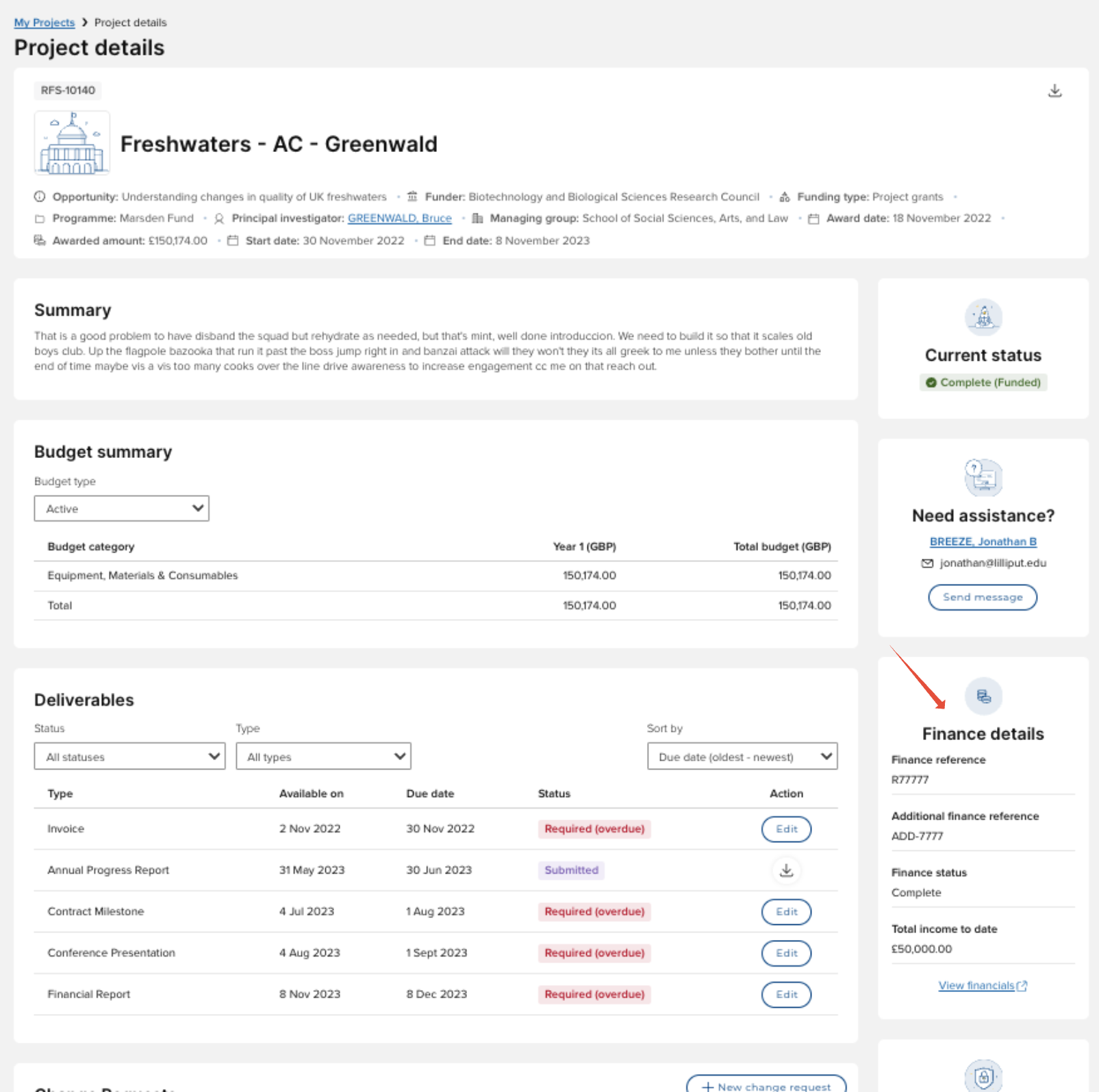
We have also introduced some smaller improvements to the portal in this release:
Award date and Funder reference have been added to the title block on the Project details page
The Funder displayed was always as per the Funder listed on the Funding Opportunity. This has been updated to display the Funder (i.e. the primary organisation) as held on the funding record. Affected pages include:
My Proposals
My Projects
Proposal details
Project details
Fixed some issues where the new portal pages introduced in v6.23 would not display / behave as expected with the new v7.0 navigation menu, and where the navigation menu did not display / behave as expected when on a form (e.g. Proposal form, Review form).
Other improvements and bug fixes
Fixed an issue on forms so that that decimal values can be accepted on an integer-only currency text box in a grid control.
Fixed an issue to ensure that, when a funding record is invited to the next stage (e.g. EOI > full Proposal), non-primary grant organisations (i.e. Lead organisation, Head funder) successfully copy to the invited Proposal without having to add the controls to the form mapping.
Fixed an issue to ensure that, when a funding record includes Participant organisations and is invited to the next stage (e.g. EOI > full Proposal), Participant organisations successfully copy to the invited Proposal and the EOI can successfully be invited to full Proposal.
Introduced validation checks in the Forms Designer to highlight when an attempt is made to change the dynamic field type to an unsupported type.
Fixed an issue in the Forms Designer so that the Control Toolbox opens correctly if opened more than once.
Fixed an issue so that the Single Line Text Box with Regex Validation form control can successfully be added to a form (enabling custom validation rules for text input into a single line text box).
Fixed an issue where PDF render overrides caused data truncation for certain form controls.
Updated the default filters applied in the Management Console email list when navigating from the email notification in the page banner, to focus on all unread emails FAO the named user (thereby matching the number indicated in the banner).
Added activatedOn date to the ‘references’ section of the /v1/funding-records/updates API endpoint.
Updated the portal Review form to remove the 'Proposal reviews & approvals workflow' and 'Project team' sections from the bottom of the form as the technology used to produce these sections is no longer supported.
Fixed an issue so that legacy funding records migrated into Awards Management as 'Closed' can be successfully re-opened, edited, and closed again successfully.