Higlighted scores
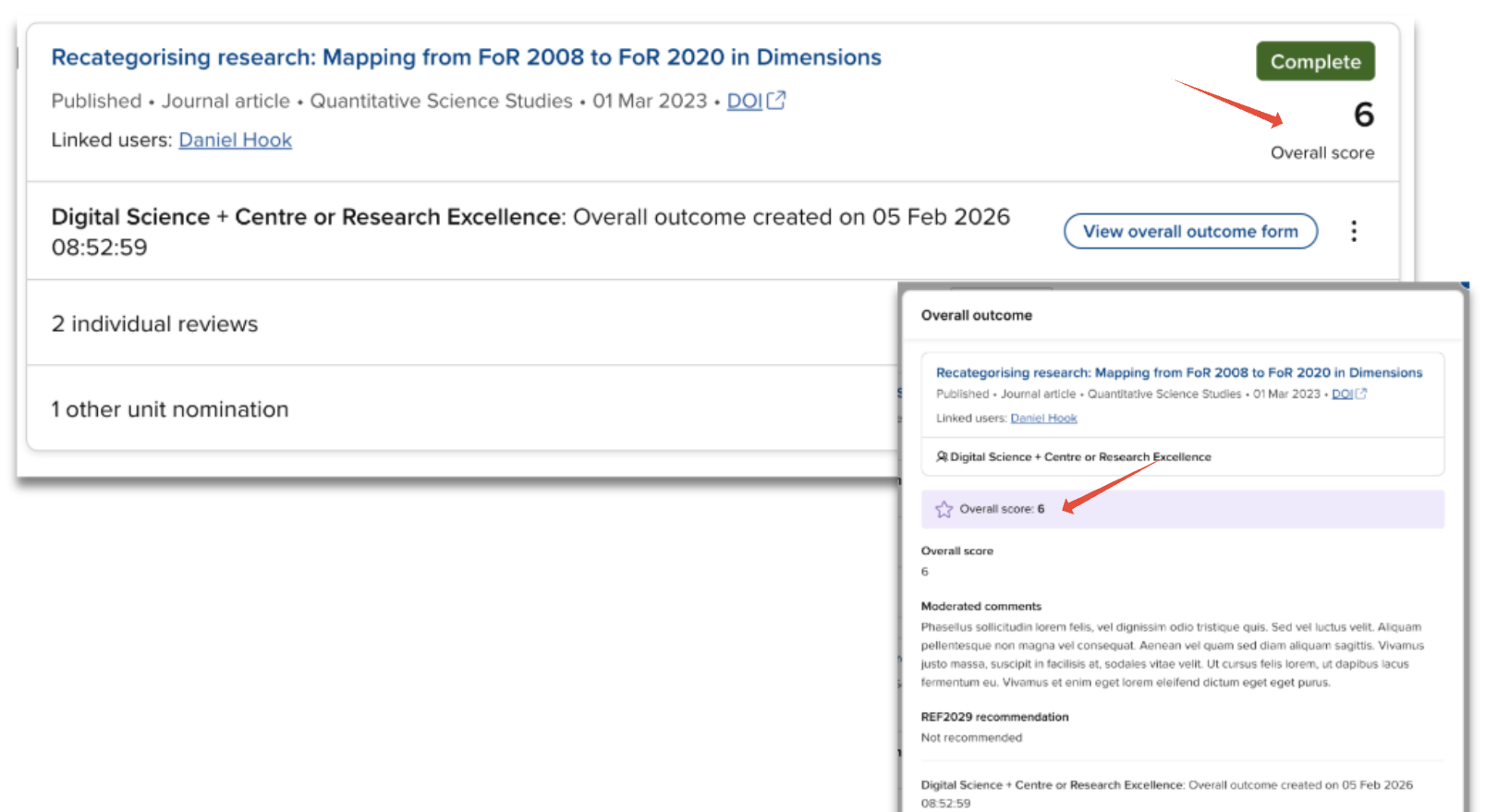
As each form (nomination, review, outcome) in the Item evaluation module enables any number of scores to be captured, you have the ability to identify a ‘highlighted score’ per form (from v7.3). Highlighted scores are more prominently displayed on key screens, making outcomes easier to interpret.
For each form in the exercise, a single Highlighted score can be selected. Only Number and Choice fields can be selected as the highlighted score.
Selecting a highlighted score is not mandatory. If none is selected, none will be displayed (but all values will be visible for inspection on the relevant form).
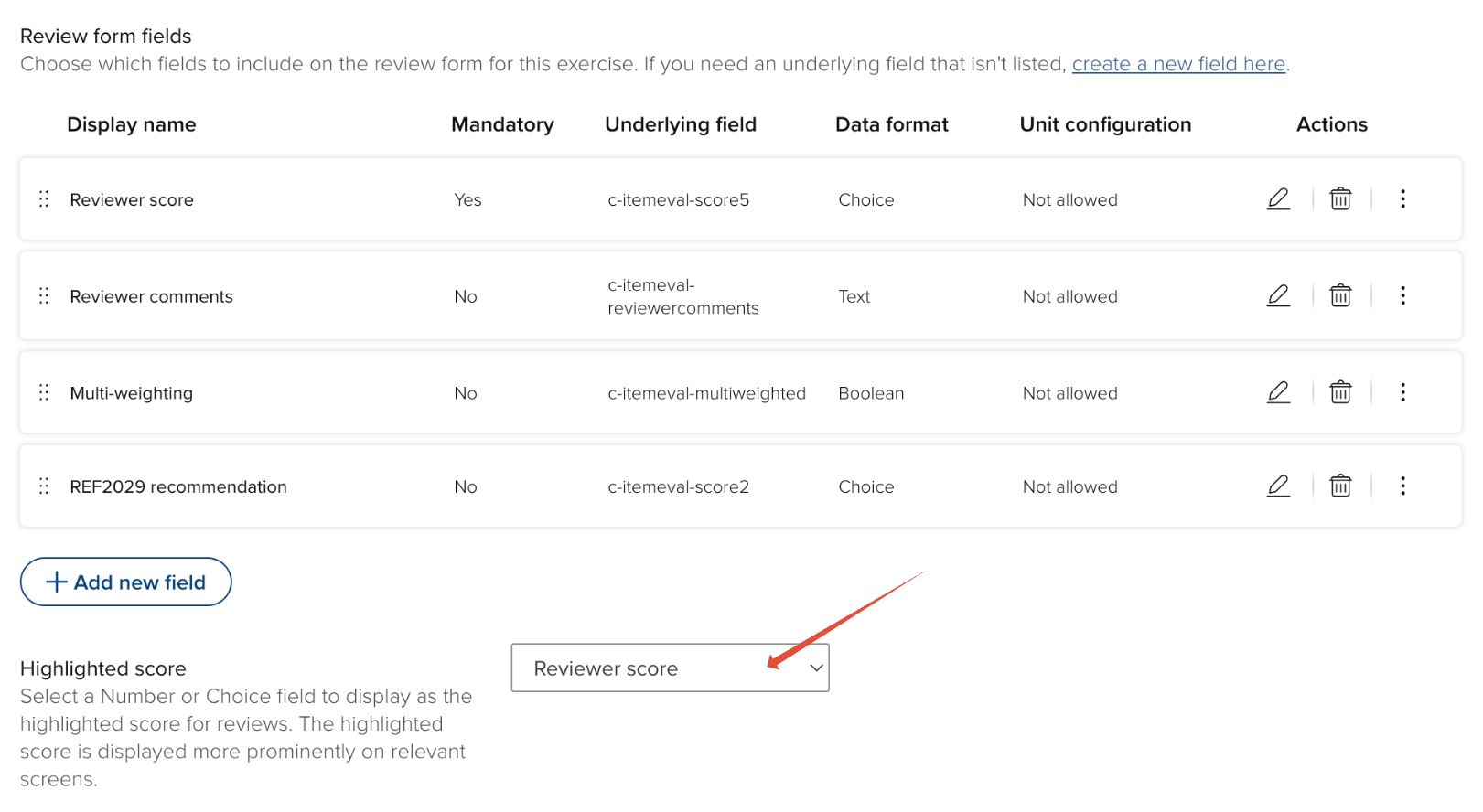
Configuring the highlighted score
In the relevant form configuration (Nomination, Review, Overall outcome), select the desired score to be highlighted.
Highlighted score can be configured at the Unit-level, as described in the 'Unit-level configuration options' support article.
Highlighted score display
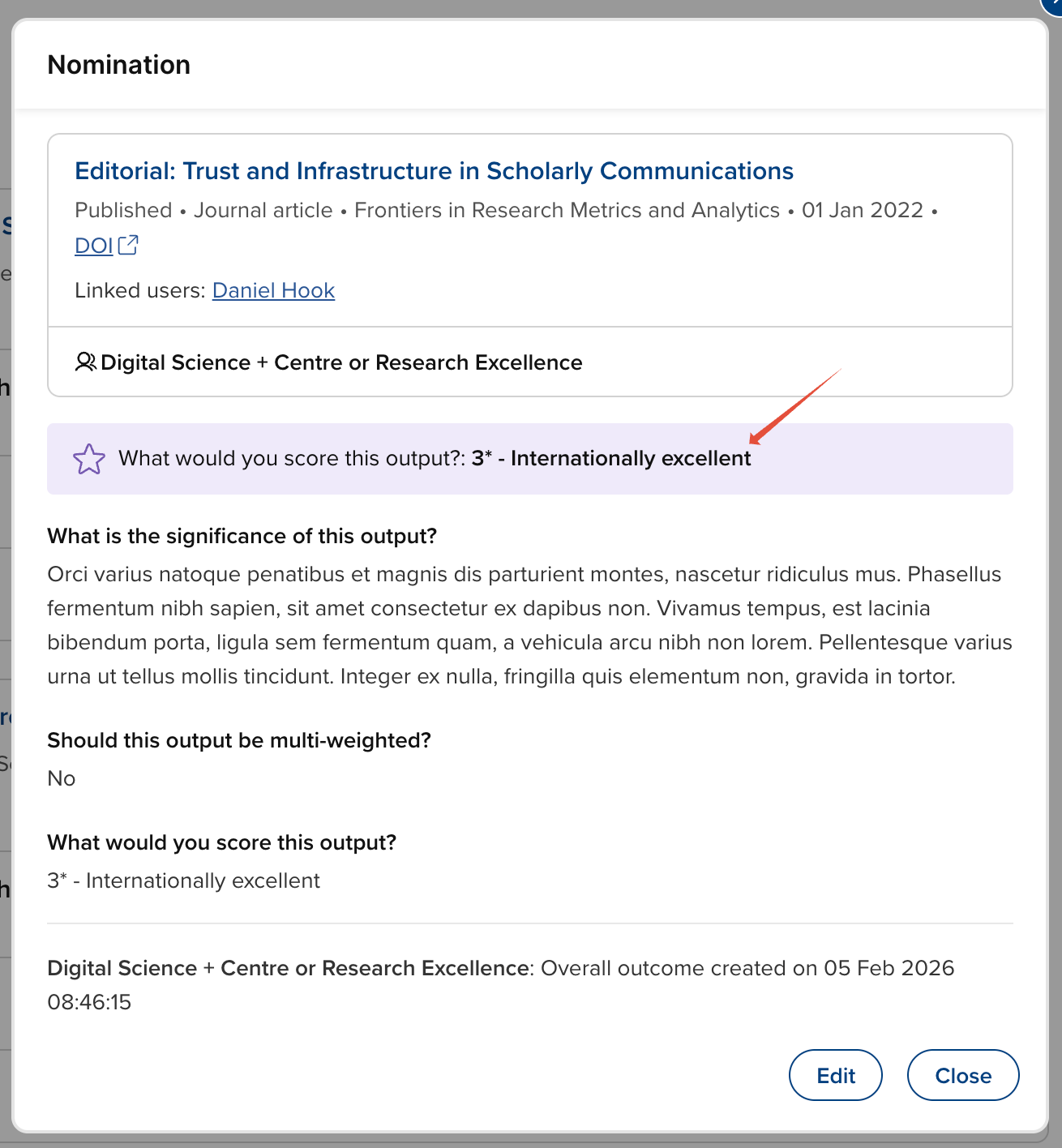
Nomination
The highlighted score from the Nomination form is displayed only on the Nomination form modal.
Review
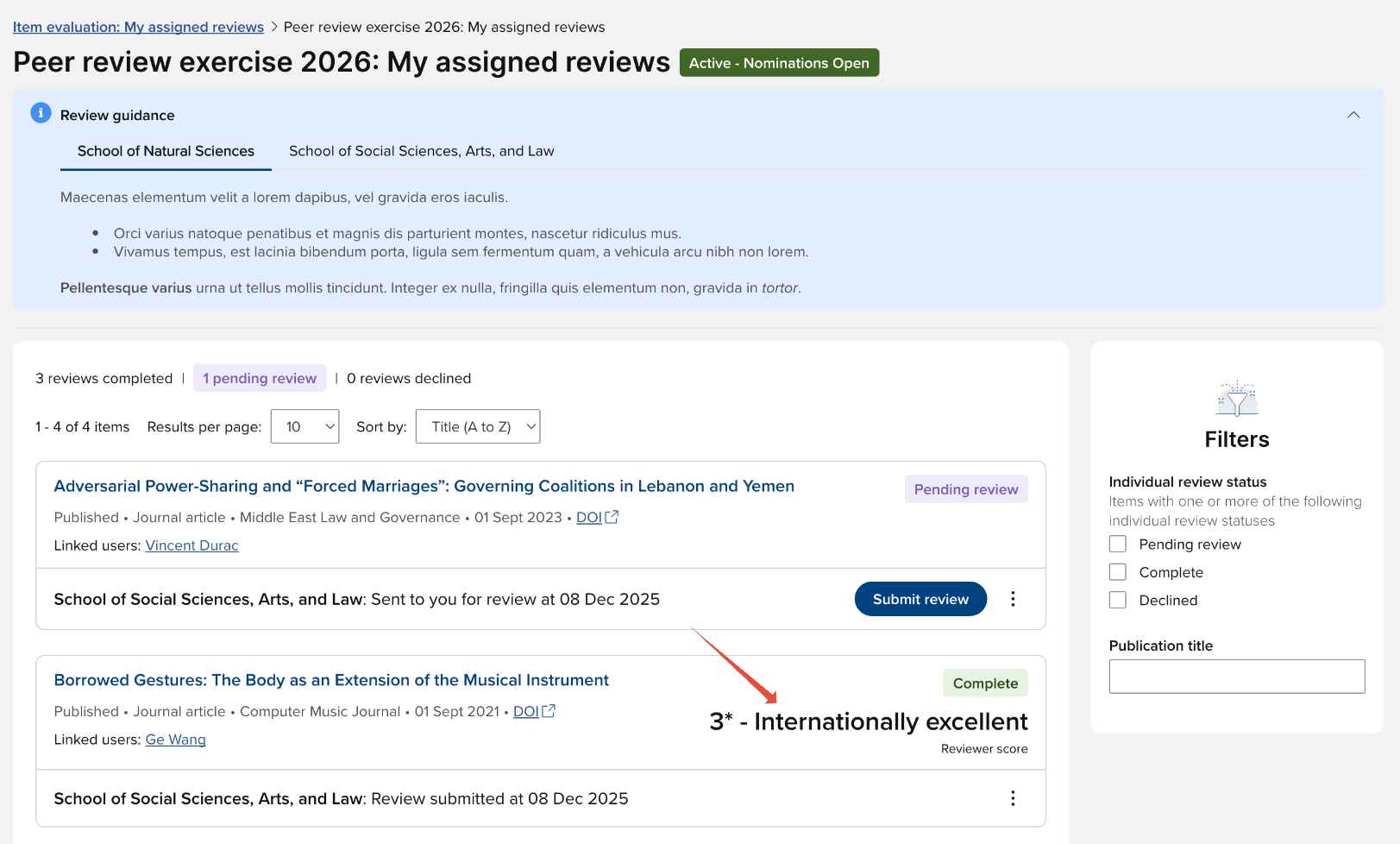
The highlighted score from the Review form is displayed on the publication card and the Review form modal, and when inspecting review outcomes from the Overall outcome form.
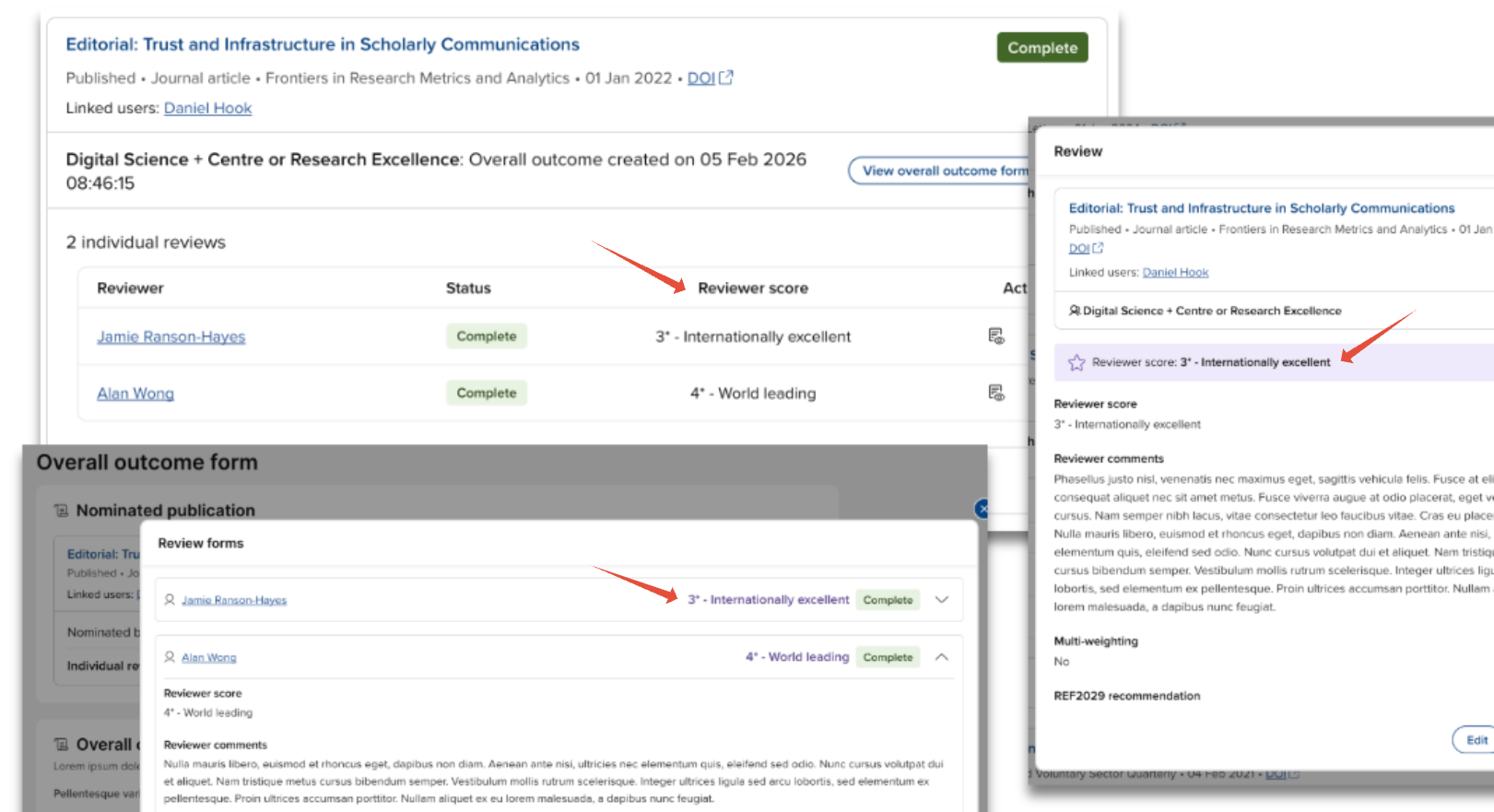
It is also displayed on the review card on the reviewer's list of 'My assigned reviews'.
Overall outcome
The highlighted score from the Overall outcome form is displayed on the publication card and the Outcome form modal.