
Unit-level configuration options
Within a single exercise, different Units may wish to ask different questions of their nominators, reviewers, and/or moderators, employ different scoresets for review outcomes, and/or tailor guidance text for their specific participants.
Unit-level configuration options available (from v7.3) are:
Nomination, Reviewer, and Manager guidance overrides
Nomination, Review, and Outcome form guidance overrides
Nomination, Review, and Outcome form field variations (where enabled)
Highlighted score overrides
Enabling Unit-level configurations
System Administrators and Research Information Administrators can enable Unit-level form field configuration options via the selected Exercise configuration page, then the desired tab (Nomination, Review, Management & outcome).
Form field configuration
When Unit configuration is allowed for a field, this means the Unit can:
Hide the field
Modify the field instructions
Set whether the field is mandatory
When enabling unit-level configurations, you should think about the Exercise-level form as a 'master template' for the form, from which Units can choose which of the master template fields they would like to show, and set the properties of each field (e.g. different field instructions, mandatory flag).
Here is an example of how it may work in an exercise:
Exercise form configuration | Unit form configuration | |||
Form fields | Unit configuration allowed | Unit A | Unit B | Unit C |
Text | Yes | Show | Show | Show |
Choice - with 5 values | Yes | Show | Show | |
Choice - with 10 values | Yes | Show | ||
Text | NO | Show | Show | Show |
Choice - with 2 values | Yes | Show | ||
Number | Yes | Show | ||
Boolean | Yes | Show | ||
Choice - with 2 values | Yes | Show | ||
Choice - with 5 values | Yes | Show | Show | |
To allow unit configuration for a field, when creating or editing the field, select the 'Allow unit configuration' field.
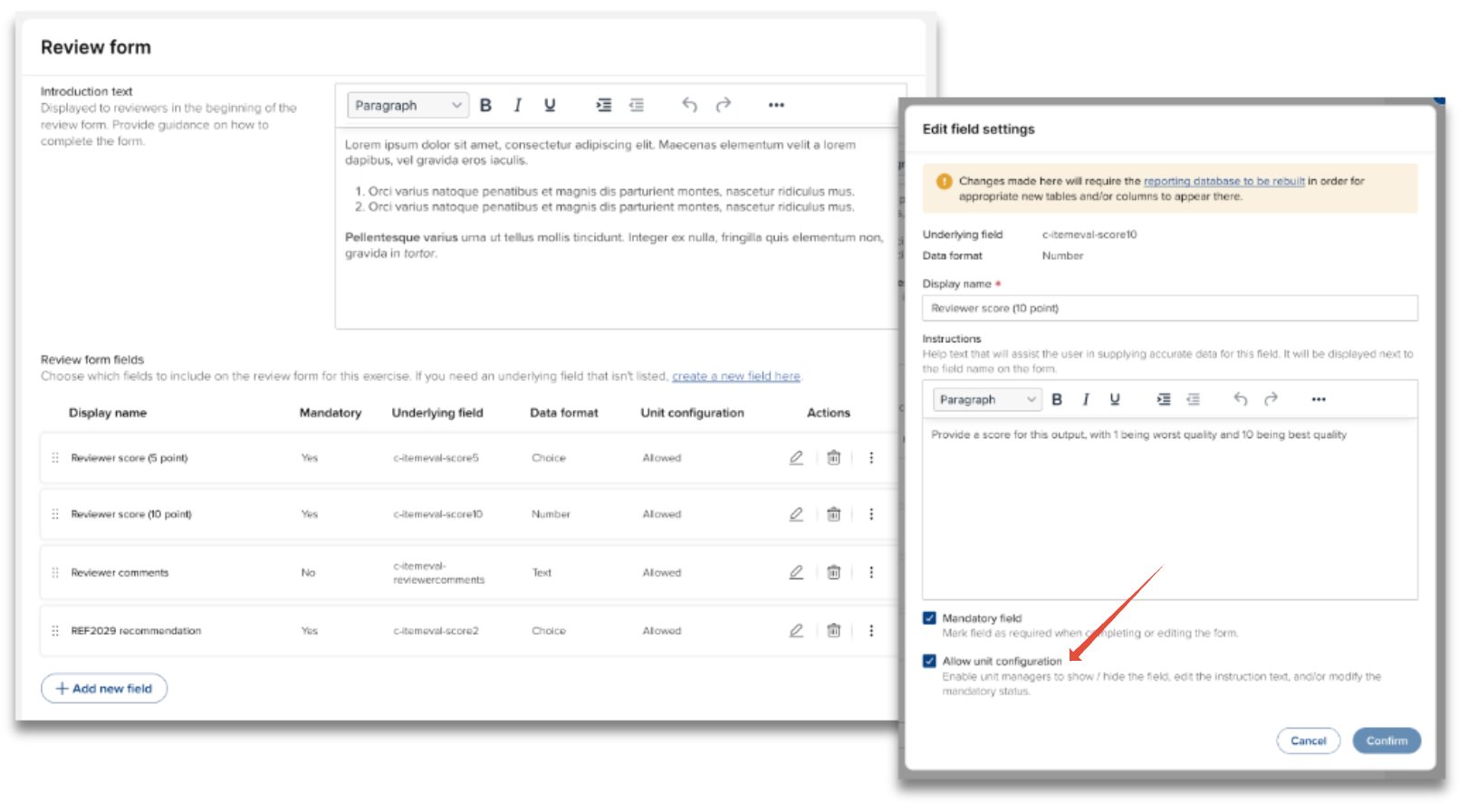
Notes:
If you select a field as mandatory, but allow unit configuration, the unit can choose to make the field optional - the only way to ensure a field remains mandatory is to not allow unit configuration for that field
When creating a new field, the 'Allow unit configuration' field is by default NOT selected
Implementing Unit-level configurations
System Administrators, Research Information Administrators, and Unit managers can implement Unit-level configurations via the selected Unit configuration page, then the desired tab (Nomination, Review, Management & outcome).
Guidance
Nomination, Reviewer, and Manager guidance is by default set at the exercise-level, but can be overridden at the Unit-level by selecting the 'Override default guidance' field and making the desired modifications.
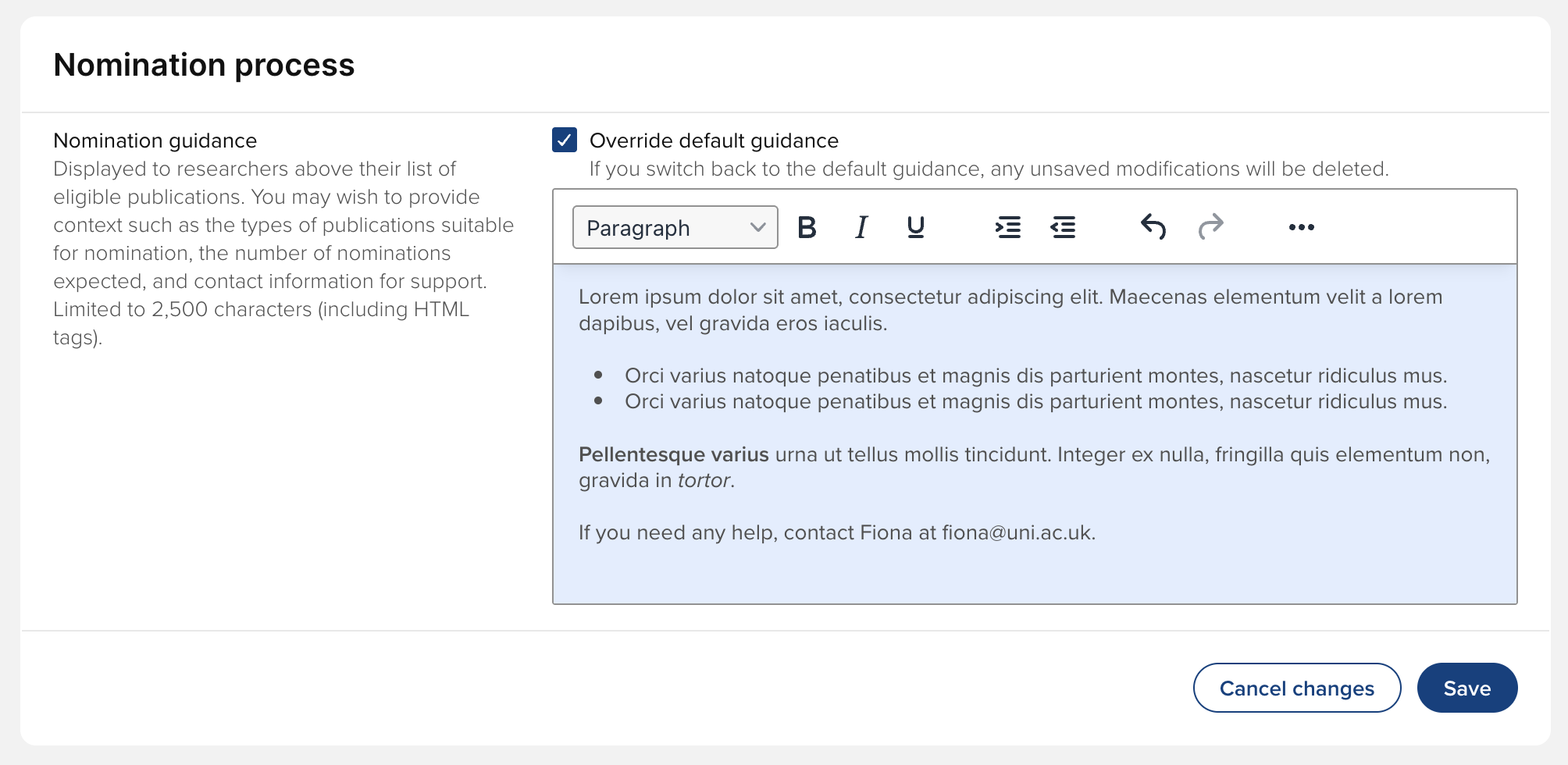
Un-selecting 'Override default guidance' will revert the guidance text back to the exercise default and your modifications will be deleted.
Notes:
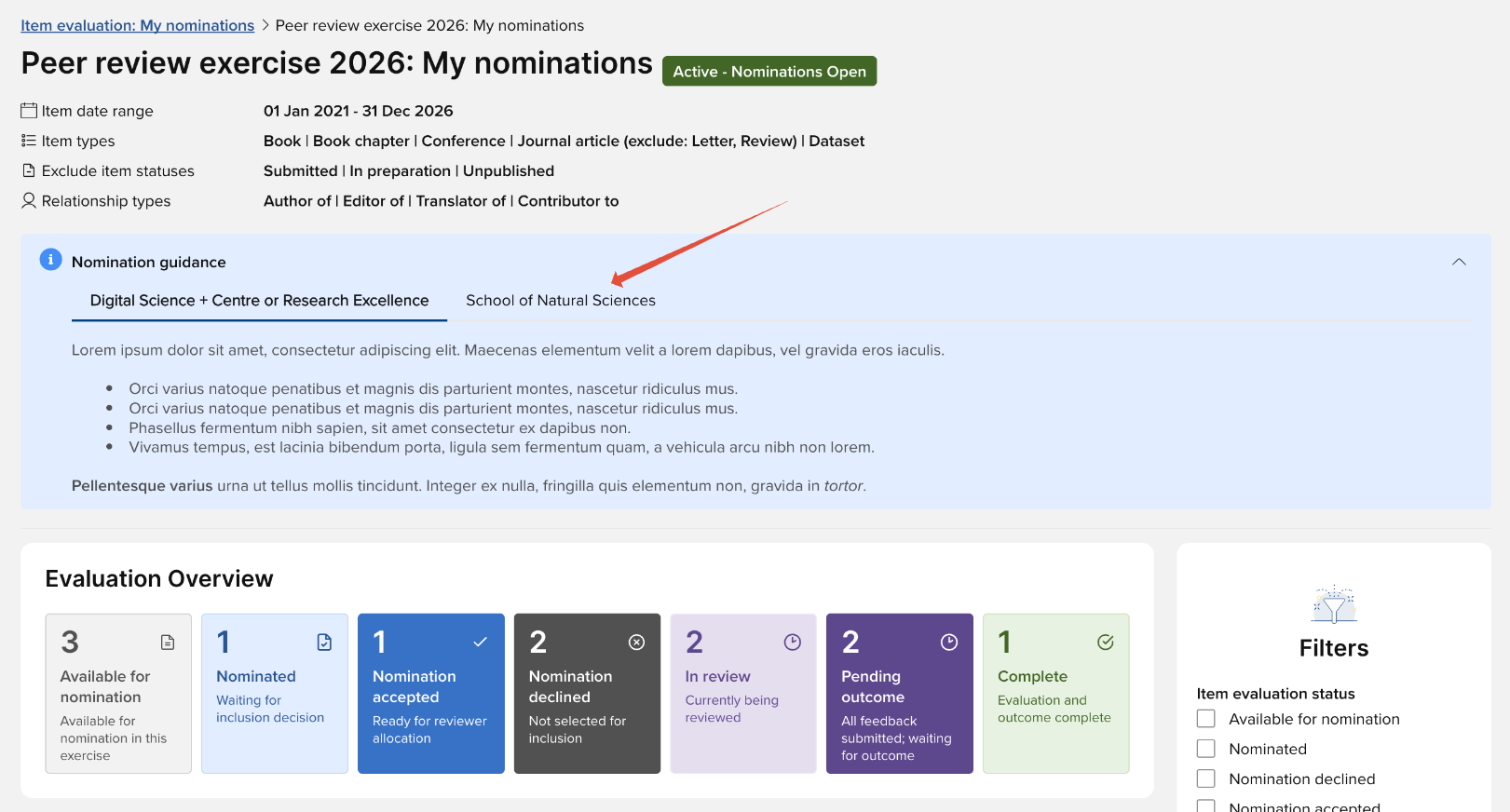
Where a user is a member of multiple Units, their Nomination guidance will appear in a tabbed format, one tab for each Unit that they are a member of (presented in alphabetical order)
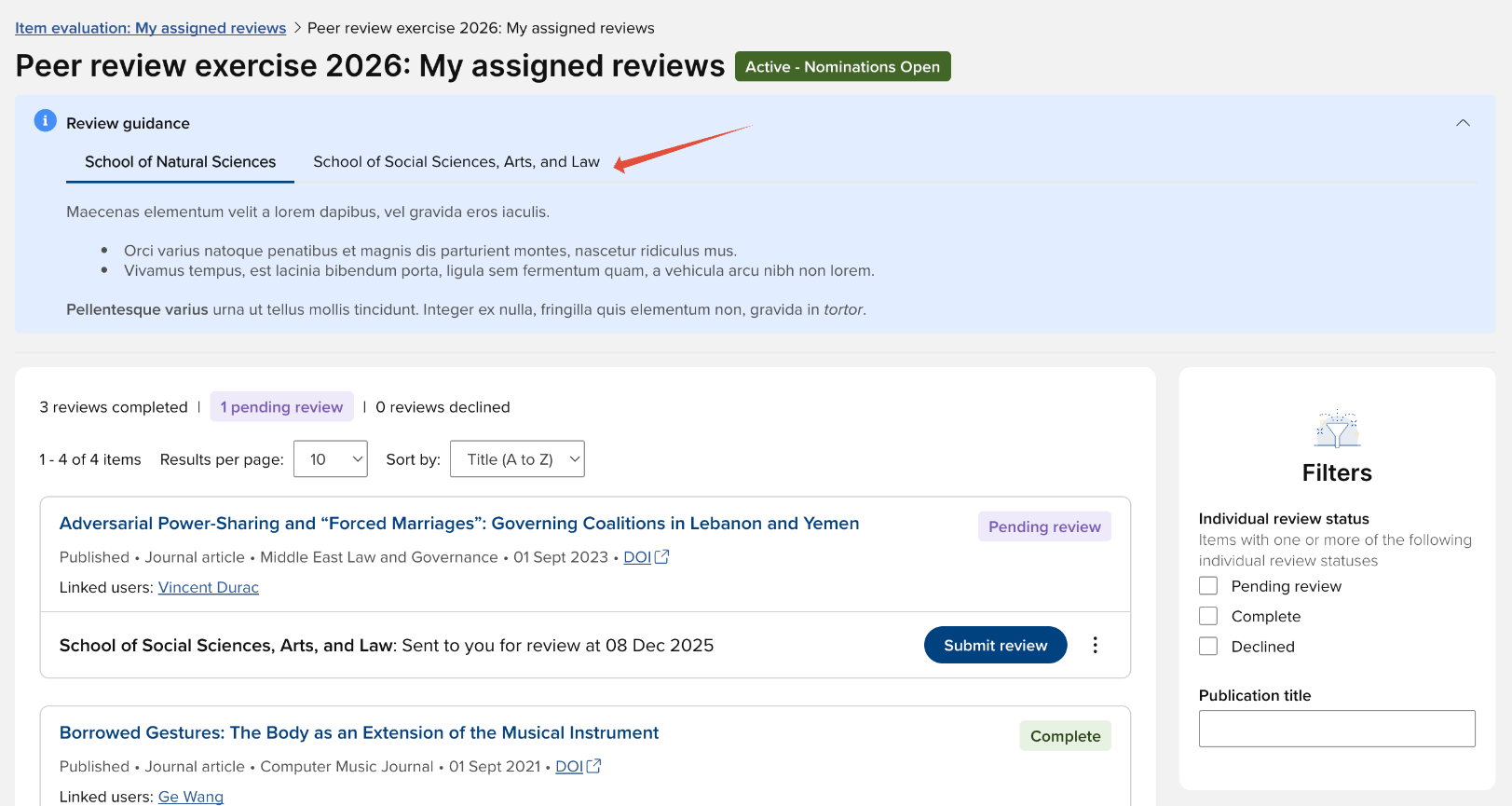
Where a reviewer is assigned items to review across multiple Units, their Reviewer guidance will appear in tabbed format, one tab for each Unit that they have been assigned reviews for (presented in alphabetical order)
Form configuration
Introduction text
Form introduction text is by default set at the exercise-level, but can be overridden at the Unit-level by selecting the 'Override default guidance' field and making the desired modifications.
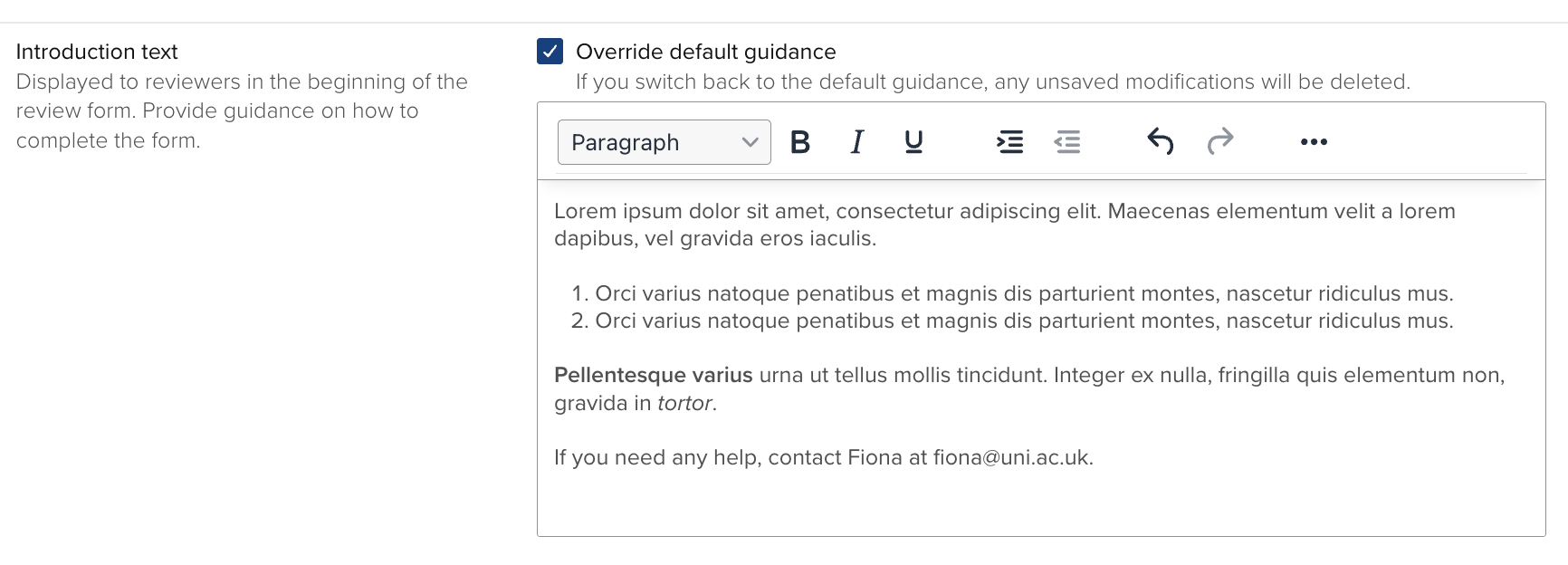
Un-selecting 'Override default guidance' will revert the introduction text back to the exercise default and your modifications will be deleted.
Form fields
Where Unit configuration is allowed for a field (as described above), Units can configure:
Whether to show the field
Override default field settings:
Field instructions
Mandatory flag
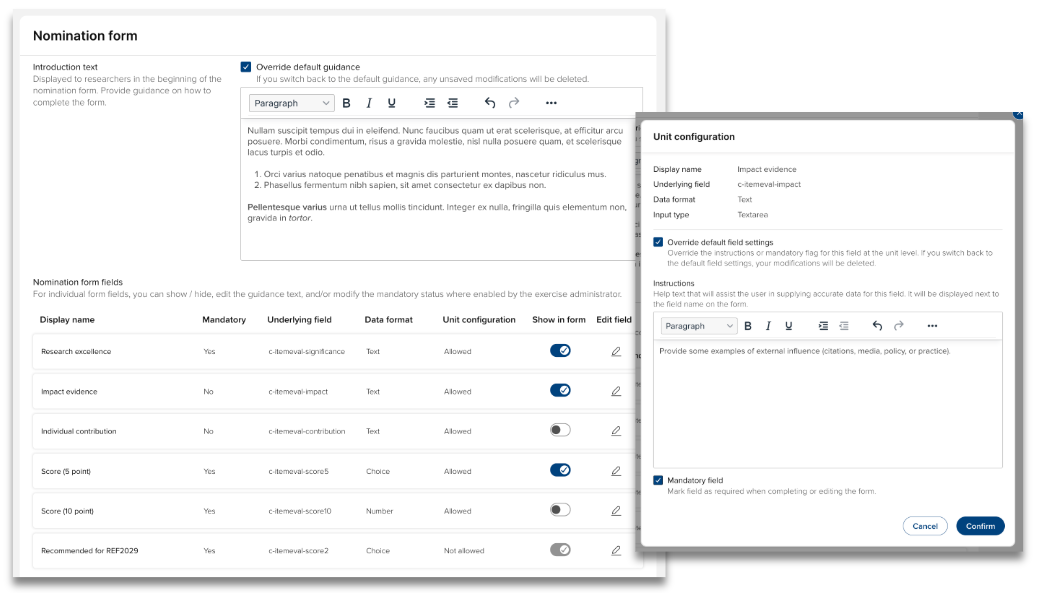
Un-selecting 'Override default field settings' will revert the settings back to the exercise default and your modifications will be deleted.
Notes:
If a form is configured for the exercise, at least one field must be selected to be shown in the form. You will be unable to save the section if all fields are hidden.
Highlighted score
Units can override the default highlighted score for the Nomination, Review, and/or Overall outcome forms.
