OA Monitor Settings
This article provides an overview on how to configure the Open Access Monitor module. Jump to the bottom of the article if you are on a version of Elements prior to v6.20.
The OA Monitor settings (Open access > [MANAGE OPEN ACCESS] > OA Monitor settings) enable you to configure some global settings that will apply across all OA schemes within your instance of Elements:
Exceptions
OA commenting
Additional settings
Exceptions
Exceptions can be used to indicate why a publication is not compliant with an Open Access scheme.
Note that any changes made to any of the settings in this section will not take full effect until after the next full search re-index has been completed.
Configure exceptions
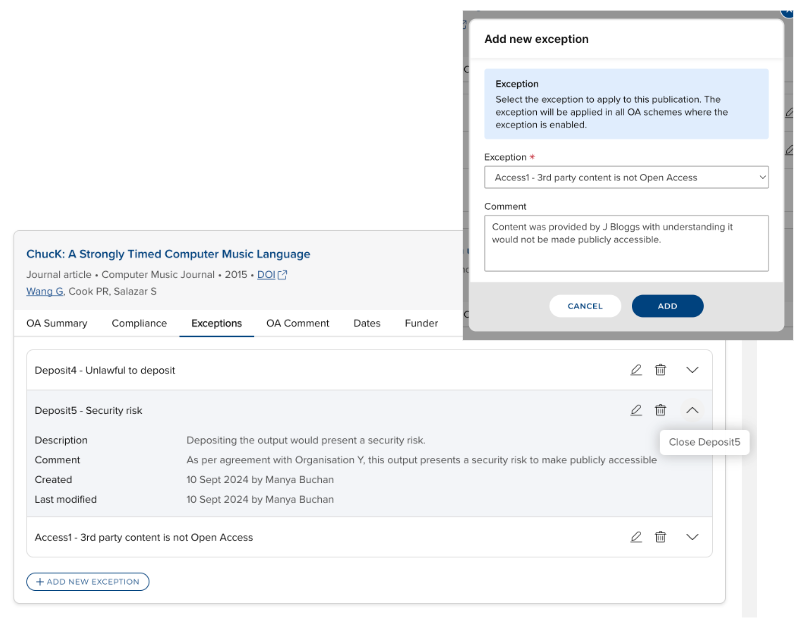
This section allows Administrators to select which exceptions you want to make globally available for application within each OA scheme, then available to users of the OA Monitor, and/or researchers more generally.
The list of exceptions available is currently fixed and cannot be added to by individual institutions.
You have the following options available:
Enable exceptions to be available to apply within individual OA schemes
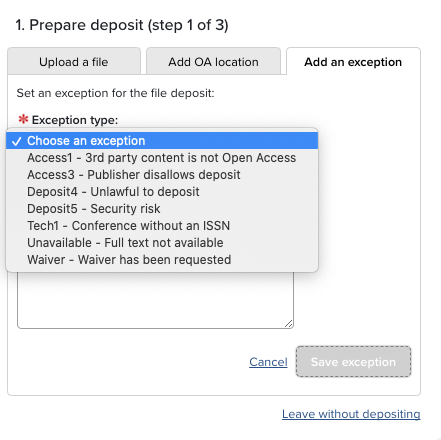
Enable exceptions to be available to users on the deposit page
Note that this setting is only relevant if the exception is enabled on a scheme that includes Deposit prompts and reminders, and only relevant if the 'Show exceptions on deposit page' setting is either 'Read/Write' or 'Read-only'. See further guidance below
Exclude exceptions from deposit reminders
Note that this setting is only relevant if the exception is enabled on a scheme that includes Deposit prompts and reminders.
Publications with an exception marked as 'exclude from deposit reminders' will not be considered 'awaiting deposit', which affects reporting and the notifications presented to users.
Edit the Summary and Description of any individual exception
Modify the order of the list of exceptions (affecting the order that exceptions are available to users in drop-downs)
Enabling individual exceptions within an OA scheme is managed directly in each scheme's configuration.
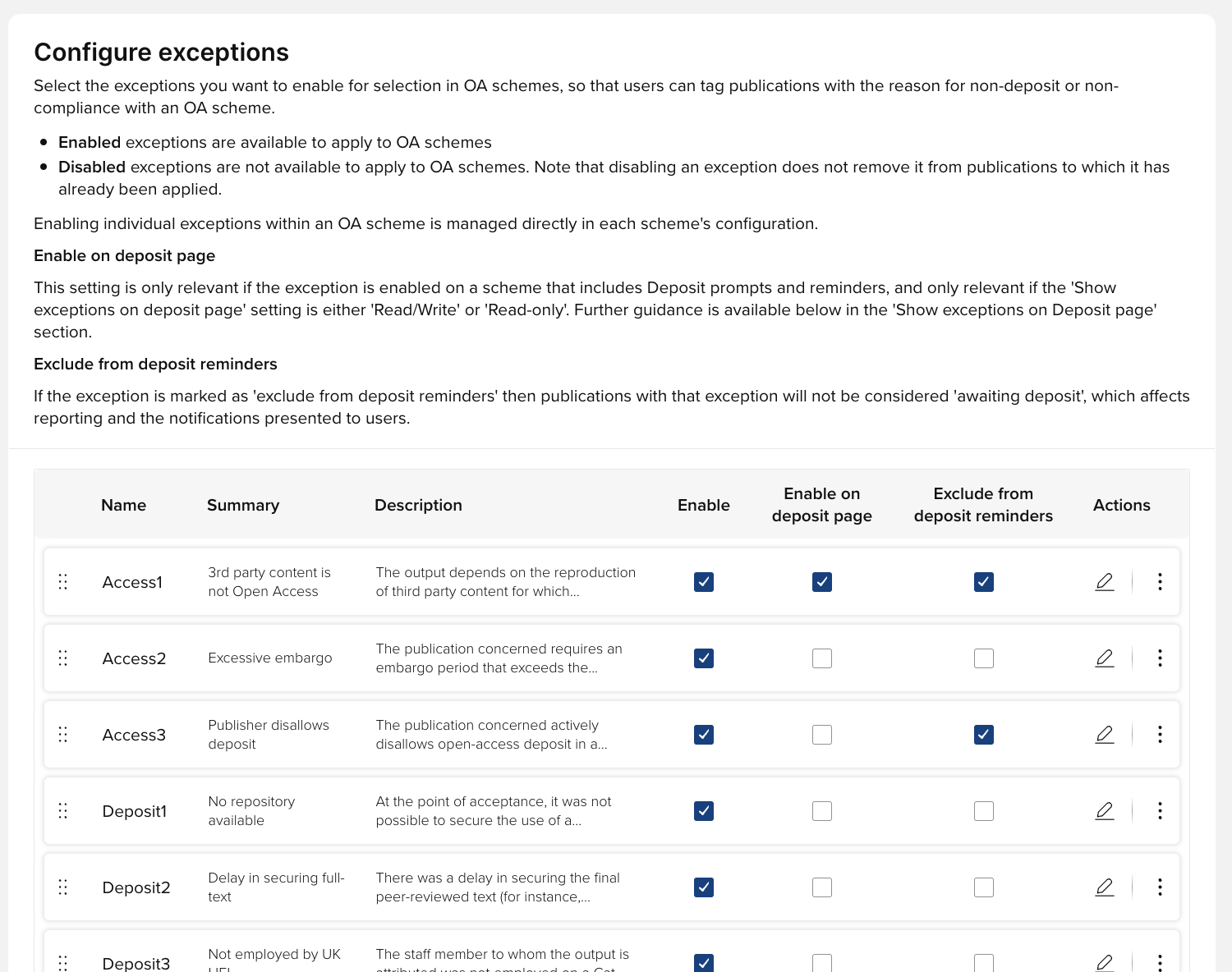
Image: Configure exceptions
Show exceptions on deposit page
Exceptions can be hidden, made read-only, or made editable on the deposit page.
Read/Write
Exceptions that are enabled for the deposit page can be applied via the deposit page, by anyone with the right to access that page.
Such exceptions can also be edited or removed via that page.
Any other exception that has been applied to a publication can be viewed, but not edited or removed, on the deposit page.
Read-only
Exceptions are visible, but not editable or removable, on the deposit page.
Hidden
Exceptions do not appear on the deposit page.
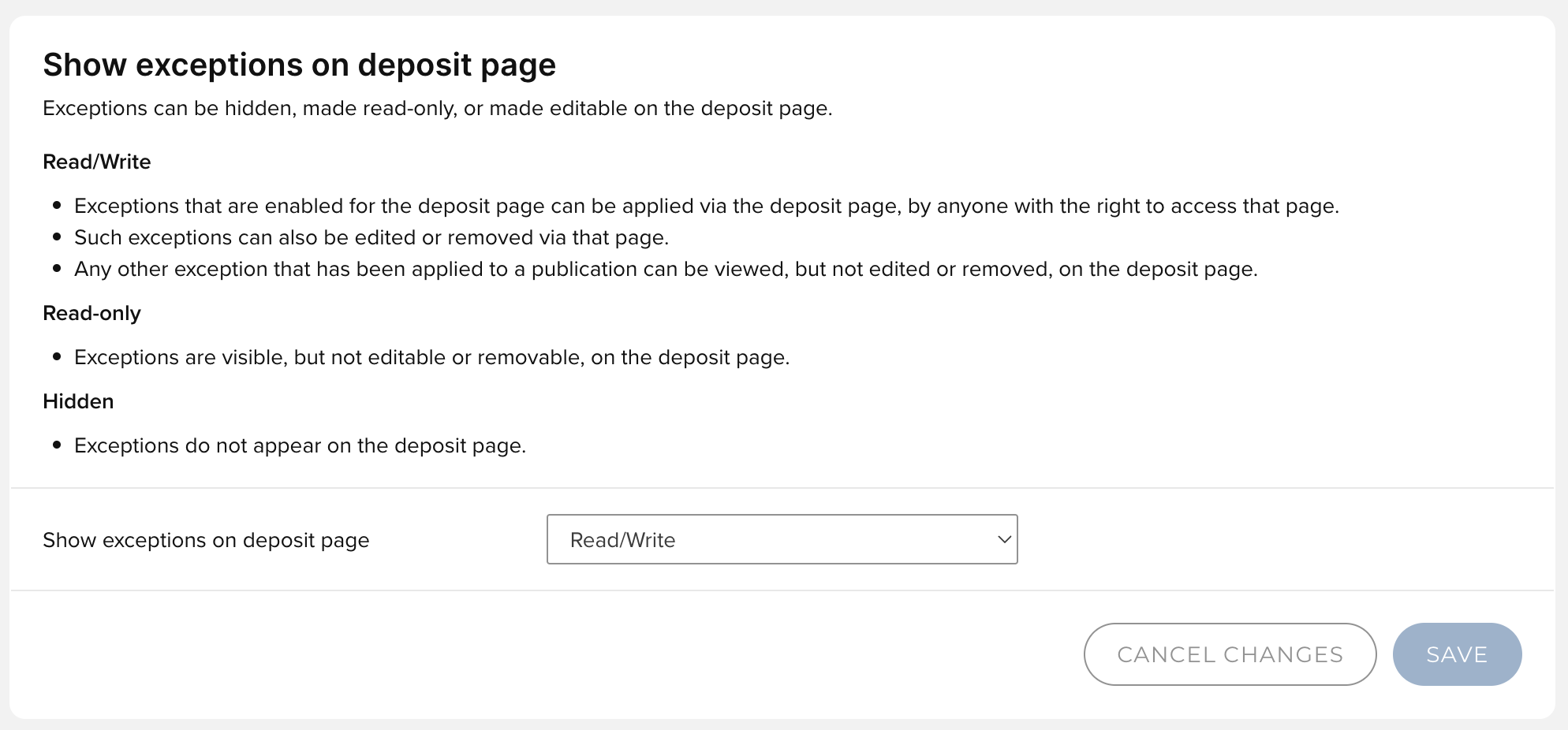
Image: Show exceptions on deposit page configuration
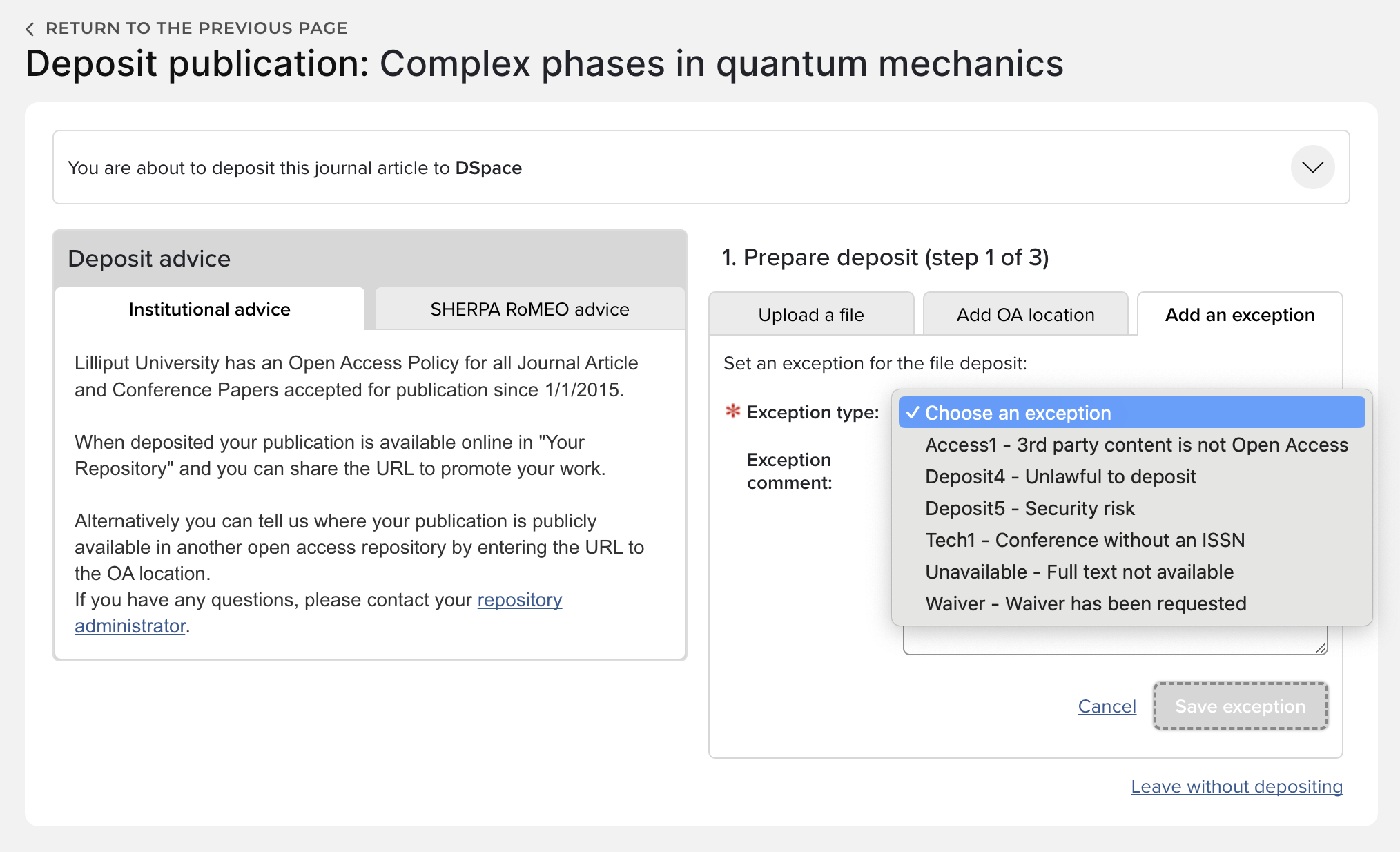
Image: Deposit page when 'Show exceptions on deposit page' configuration is set to 'Read/Write'
Exception for waiver requests
If you have waiver functionality enabled (see How to enable and configure Waiver generation), you can set an exception to be automatically applied when a waiver is requested.
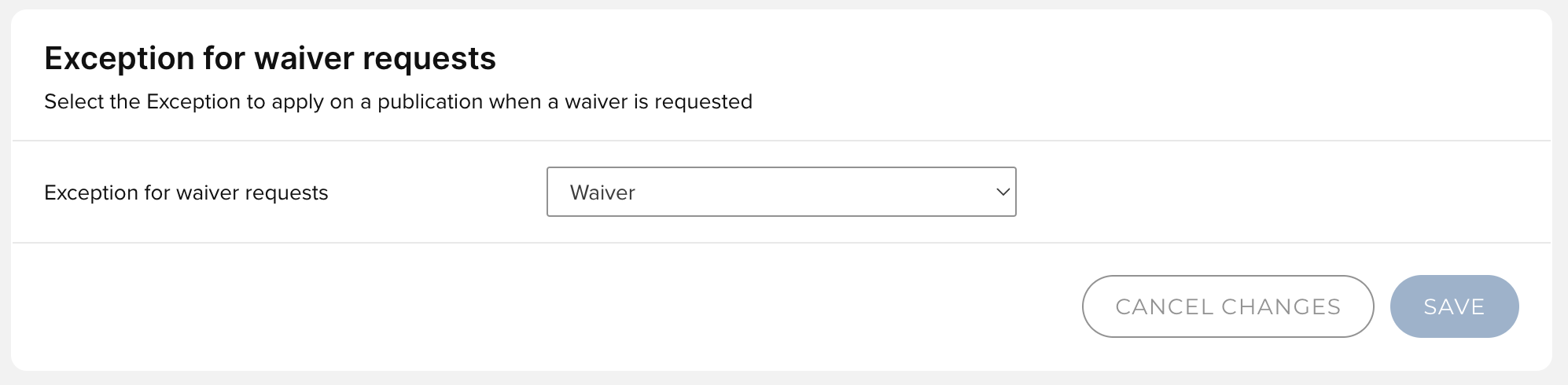
Image: Exception for waiver requests configuration
OA commenting
The OA commenting tool within the OA Monitor enables Administrators to record and track communications, and filter by the selected tag to manage workflow.
You can select to enable this functionality globally across the OA Monitor.
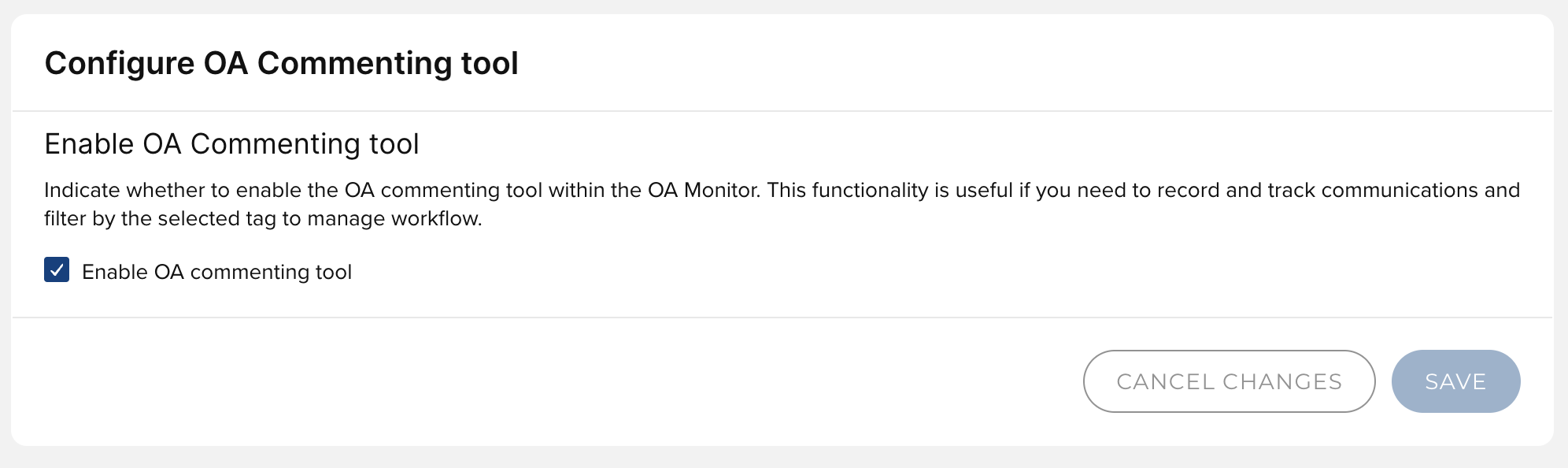
Image: Configure OA Commenting tool
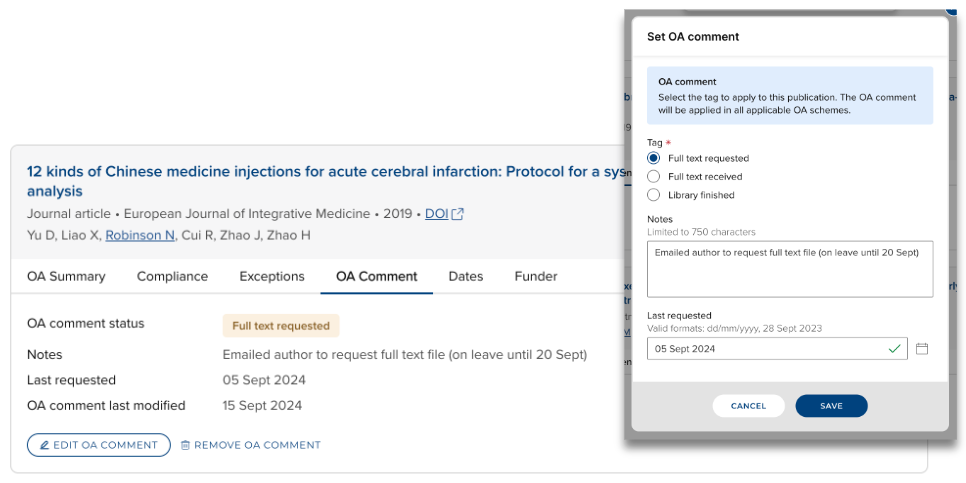
Image: Setting an OA comment when the OA Commenting tool is enabled
Additional settings
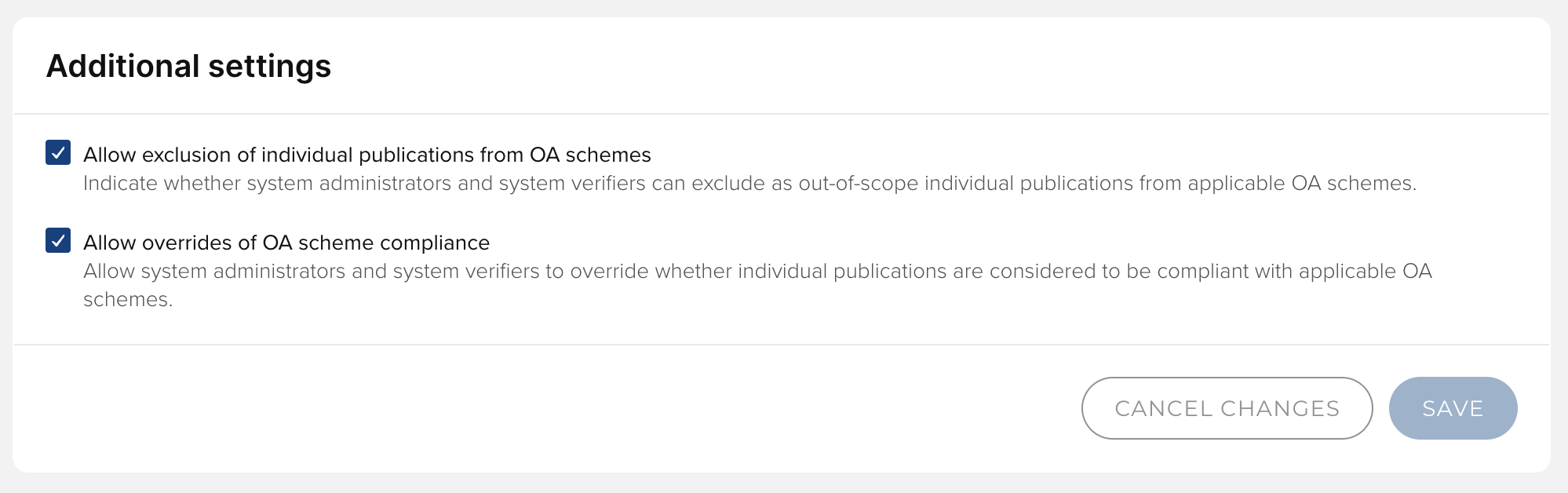
Image: Additional OA Monitor settings
Allow exclusion of individual publications from OA schemes
This setting enables Administrators to exclude as out-of-scope individual publications from applicable OA schemes. Further detail on excluding a publication from an OA scheme is available in the 'Exclude from scheme' section here.
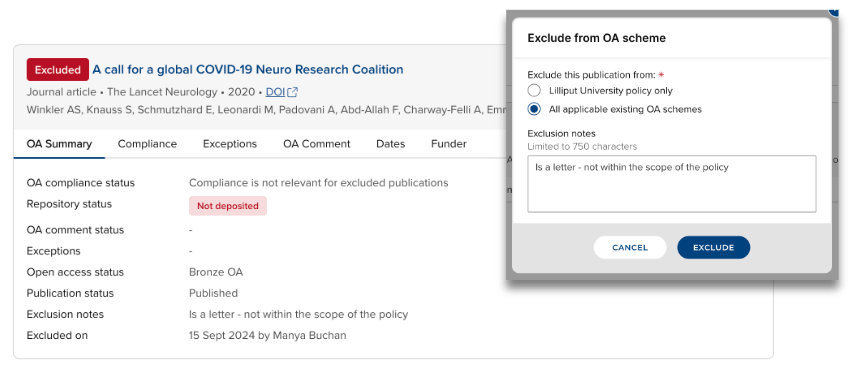
Image: Excluding a publication in the OA Monitor
Allow overrides of OA scheme compliance
This setting enables Administrators to override whether individual publications are considered to be compliant with applicable OA schemes. Further detail on overriding the compliance of a publication within an OA scheme is available in the 'Compliance' section here.
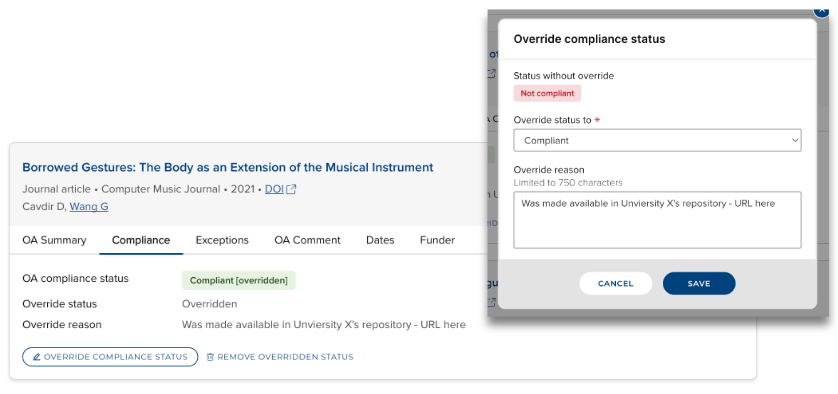
Image: Overriding the compliance status of a scheme in a OA scheme
OA Monitor module administration (v6.19 and below)
Access
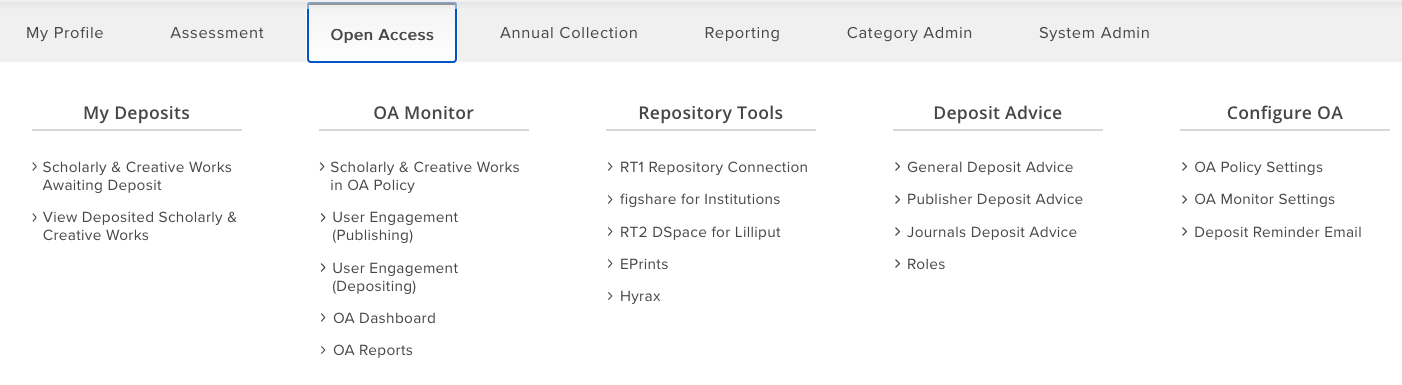
Use of the OA Monitor is restricted to System Administrators, System Information Verifiers and Research Information Administrators. The OA Monitor can be accessed at Open Access > OA Monitor.
Settings
Before you can use the OA Monitor, you must configure settings at Open Access > Configure OA > OA Monitor Settings and Open Access > Configure OA > OA Policy Settings.
Please note that changes marked with the

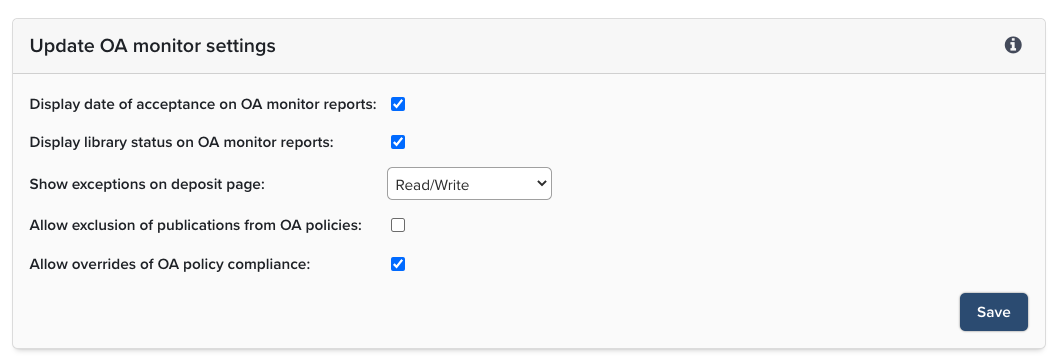
OA Monitor Settings
Questions you should consider:
1. Does your institution mandate deposit upon acceptance?
If no, then you do not need to configure anything in this section.
If yes, then you need to decide if you want to display the date of acceptance on the OA Monitor reports. If you do, then check the box beside 'Display date of acceptance on OA monitor reports'.
2. Do you want to use Library Status to track requests and communication with researchers about full text content?
This functionality is useful if you need to record and track communications and filter by the status to manage workflow.
3. Do you want to show exceptions on the deposit page?
You have the option to hide exceptions ("Hidden"), make them "Read-only," or allow "Read/write" privileges.
4. Do you want to use waiver requests?
The Exception for waiver requests setting determines the type of OA Policy exception which will be set on a publication when a waiver is requested.
5. Do you wish to configure Policy Exceptions?
Policy Exceptions
This section allows System Administrators, System Information Verifiers or Research Information Administrators to select which exceptions you want to make available to users of the OA Monitor. They can tag a publication with a reason why it is not compliant with policy. The list of exceptions currently in the product apply to REF2021 along with a few generic exceptions.
Tip: Additional exceptions cannot be added by individual institutions, but we welcome suggestions. If there is a policy exception you would like to see added, please submit a Feature Request.
You have the option to enable exceptions, choose whether to present them on the Deposit Page, exclude them from the dashboard and to exclude them from deposit reminders.
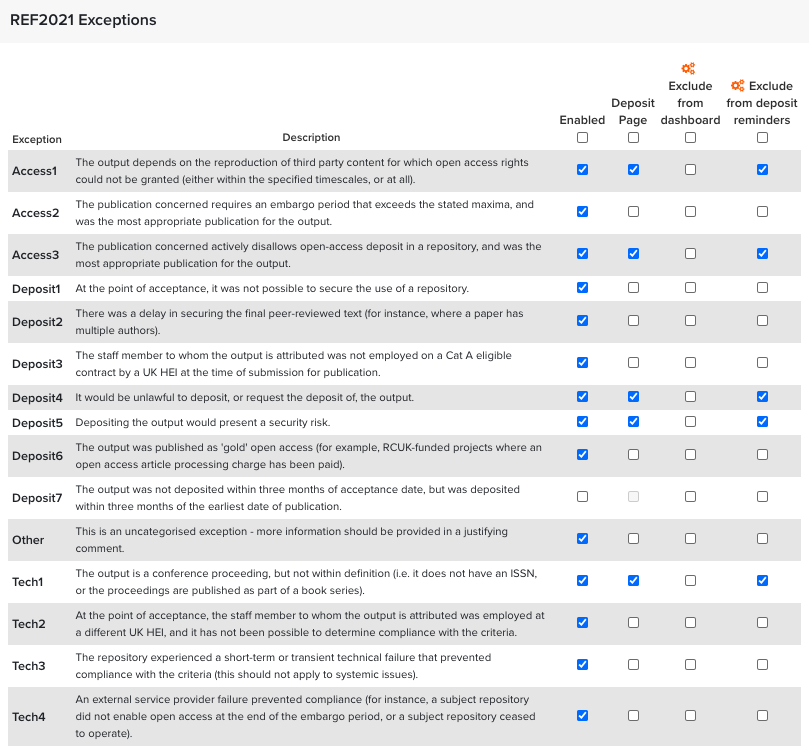
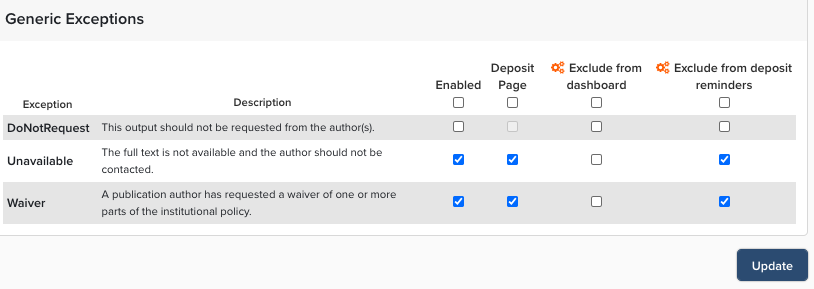
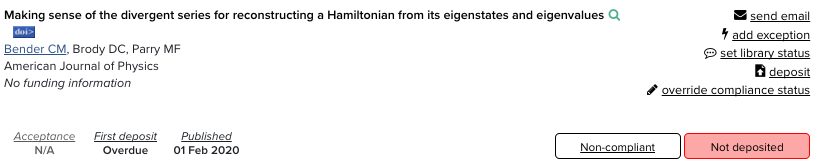
They can also be displayed when the System Administrator or Research Manager clicks the "add exception" link.