
Awards Management 7.2 release notes
In this release of the Elements Awards Management module, we are pleased to introduce additional enhancements aimed at improving administrator workflows and enhancing the researcher experience when adding collaborators to proposals. These include:
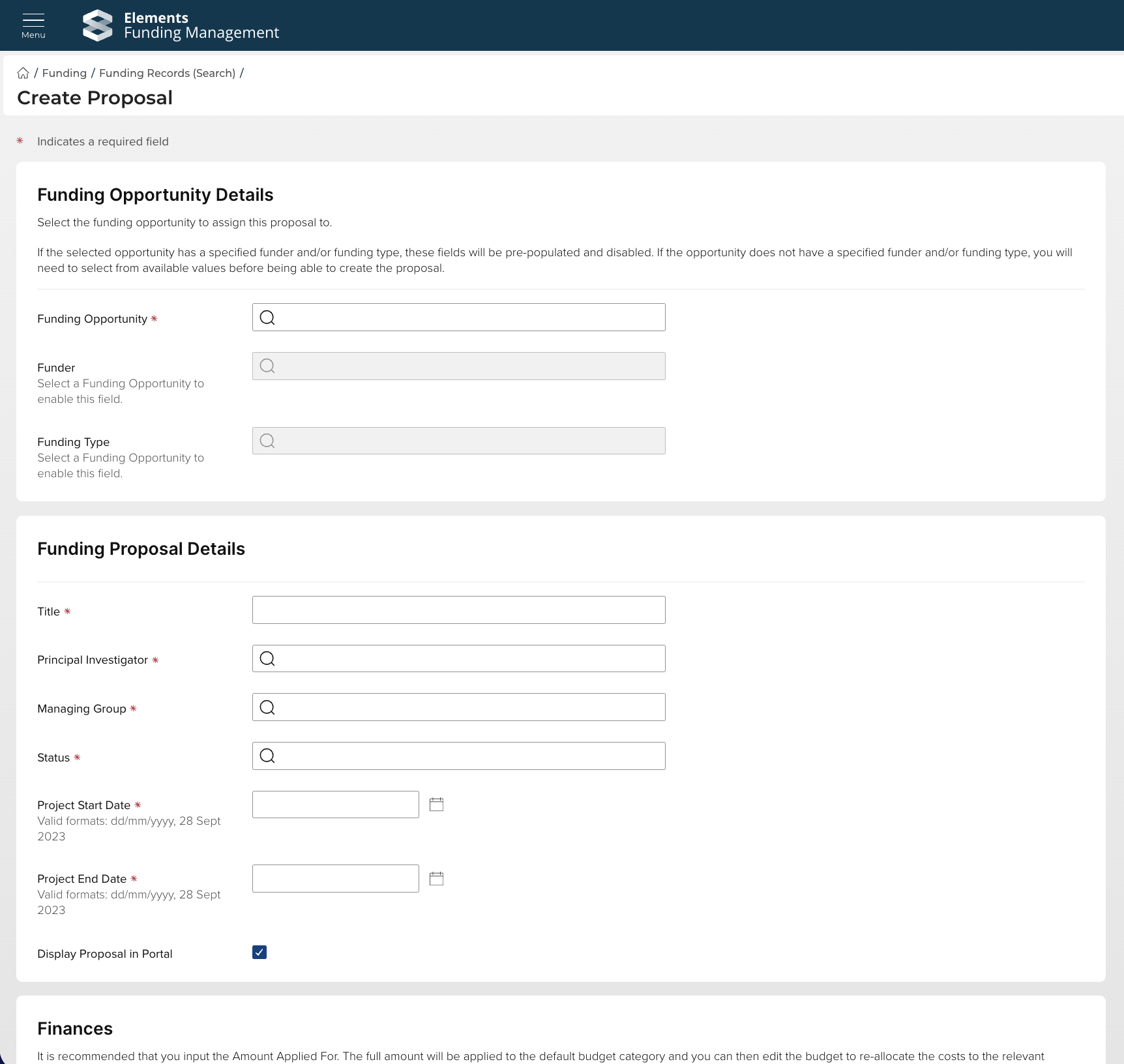
Functionality to enable Management Console users to create a proposal directly in the Console, at the desired pre-award status
A new group-based read-only Management Console user role
Enhancements to the Participant Single control and to the proposal Contacts page in the Management Console to display / capture:
Represented group, selected from the user’s existing group membership(s)
Email
Primary position title
This release also contains a number of additional smaller features and enhancements, described at the bottom of this article.
Easy proposal creation
This release includes a new feature to enable authorised Management Console users to create a proposal directly in the Console, at the desired pre-award status, relieving the administrative burden where there is a need to easily create a proposal at a particular workflow step (e.g. if the review workflow isn't required, if funds and approvals have already been secured).
This function is available to System Administrators, Research Funding Administrators, and Research Funding Data Administrators.
Further detail on this new functionality is available in this support article.
New Viewer (Funding) read-only Management Console role
In response to a popular feature request, in this release we have delivered a new group-based 'Viewer (Funding)' read-only Management Console role. This role allows, for example, School or Department managers to view projects and proposals for their organisational unit, without the ability to edit any data.
Viewer (Funding) users are able to:
View console content affiliated with the Group(s) they have access to
Download documents
Add and view Journal (comment) entries
Further detail on user roles in Awards Management are available in this support article.
Collaborator and contact data enhancements
We are pleased to introduce several key enhancements aimed at improving data visibility and efficiency across proposal and project workflows. These updates focus on providing administrators and users with better tools for accurate collaborator identification and managing project contacts.
Additional user information displayed
Relevant locations have been updated to display internal collaborators' email and Primary position title, helping with accurate user identification when adding collaborators to a proposal.
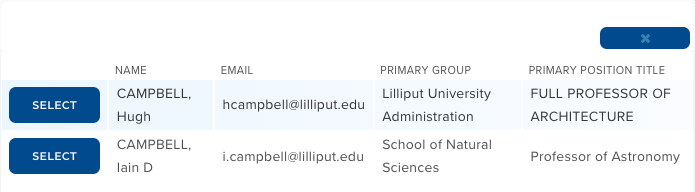
Image: Adding collaborators in the proposal form
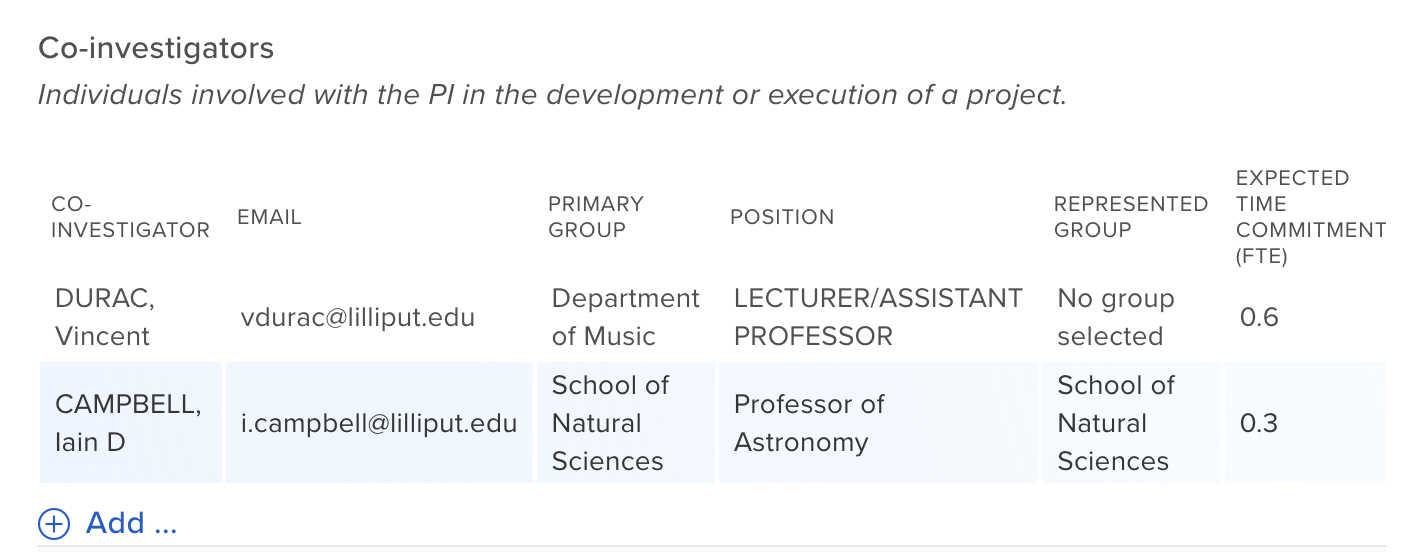
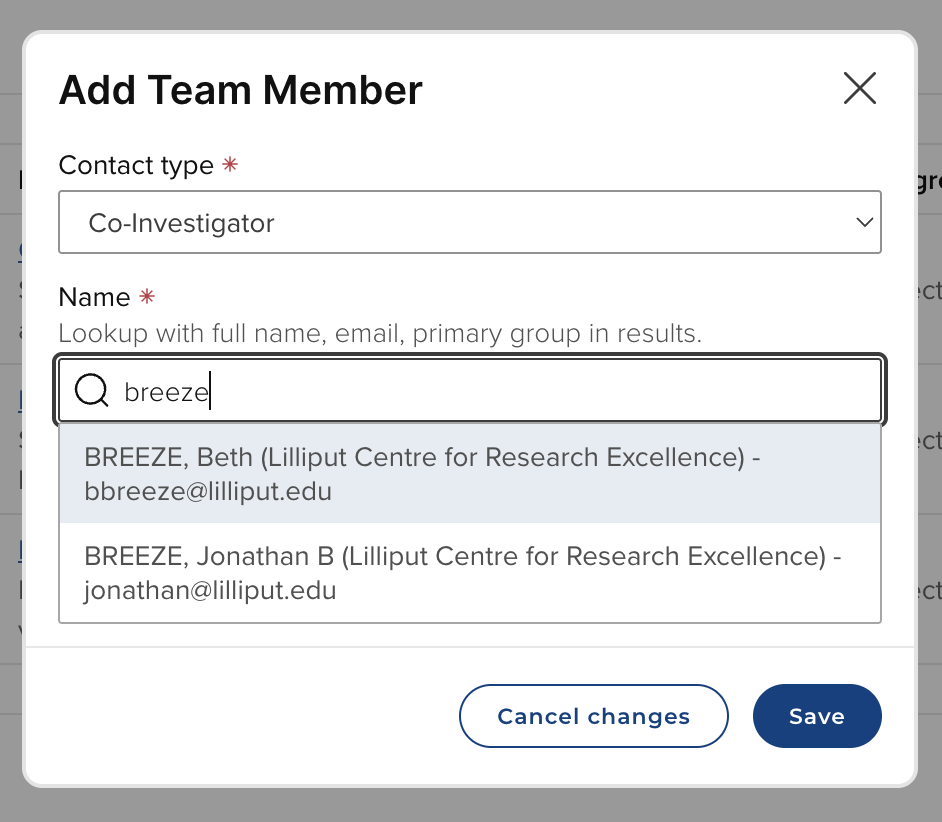
Image: Adding collaborators in the Console
Note that there are options to hide fields on the Proposal form, if desired (e.g. you may not want to display both Primary group and represented group). These can be configured via the Participant Single control, in the 'Search options' and 'Contact layout' sections.
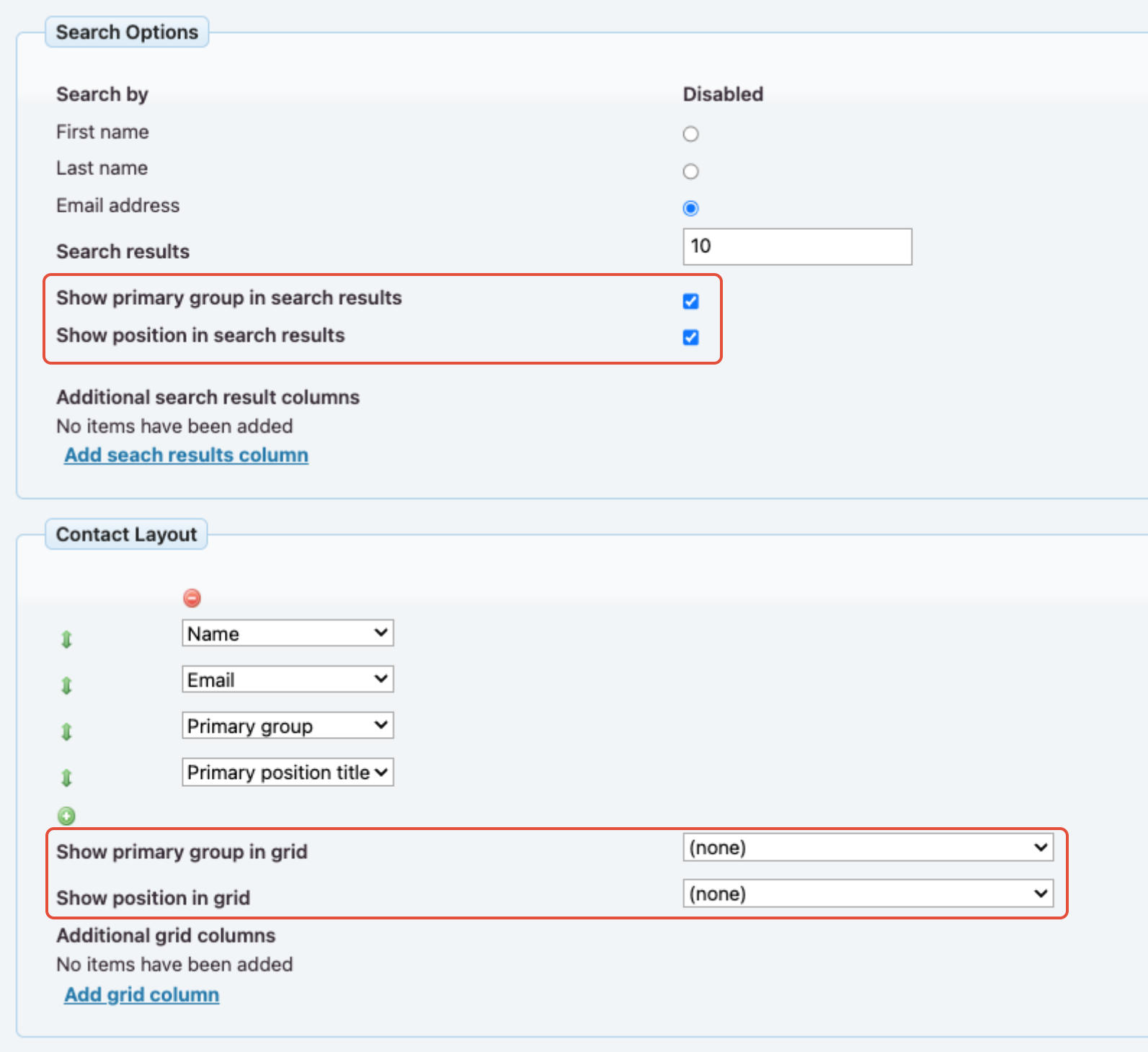
Image: Configuring the visibility of Primary group and Primary position title on the Proposal form
Represented group
In this release, we have introduced the ability to capture each collaborator's represented group, selected from the user's existing group membership(s), giving greater visibility of the organisational units involved in a proposal / project, which can be important for determining approval pathways and financial planning. Further detail on this feature is available in this support article.
Note that this feature is by default ENABLED upon upgrade to v7.2. If you want to disable this feature, please just get in touch
Note also that you may need some support in configuring your forms to ensure that the PI Group field displays sensibly - please just get in touch.
Funding record Contacts page improvements
This release includes a complete re-design of the 'Contacts' page for individual funding records:
The 'Contacts' page has been moved out of the 'Edit' menu into its own menu section
The process of adding new / editing existing project team members has been re-designed, with a focus on improving the user experience and providing a cleaner, more efficient user interface with more information available
Irrelevant sections have been removed from the page (e.g. recommended and excluded reviewer sections)
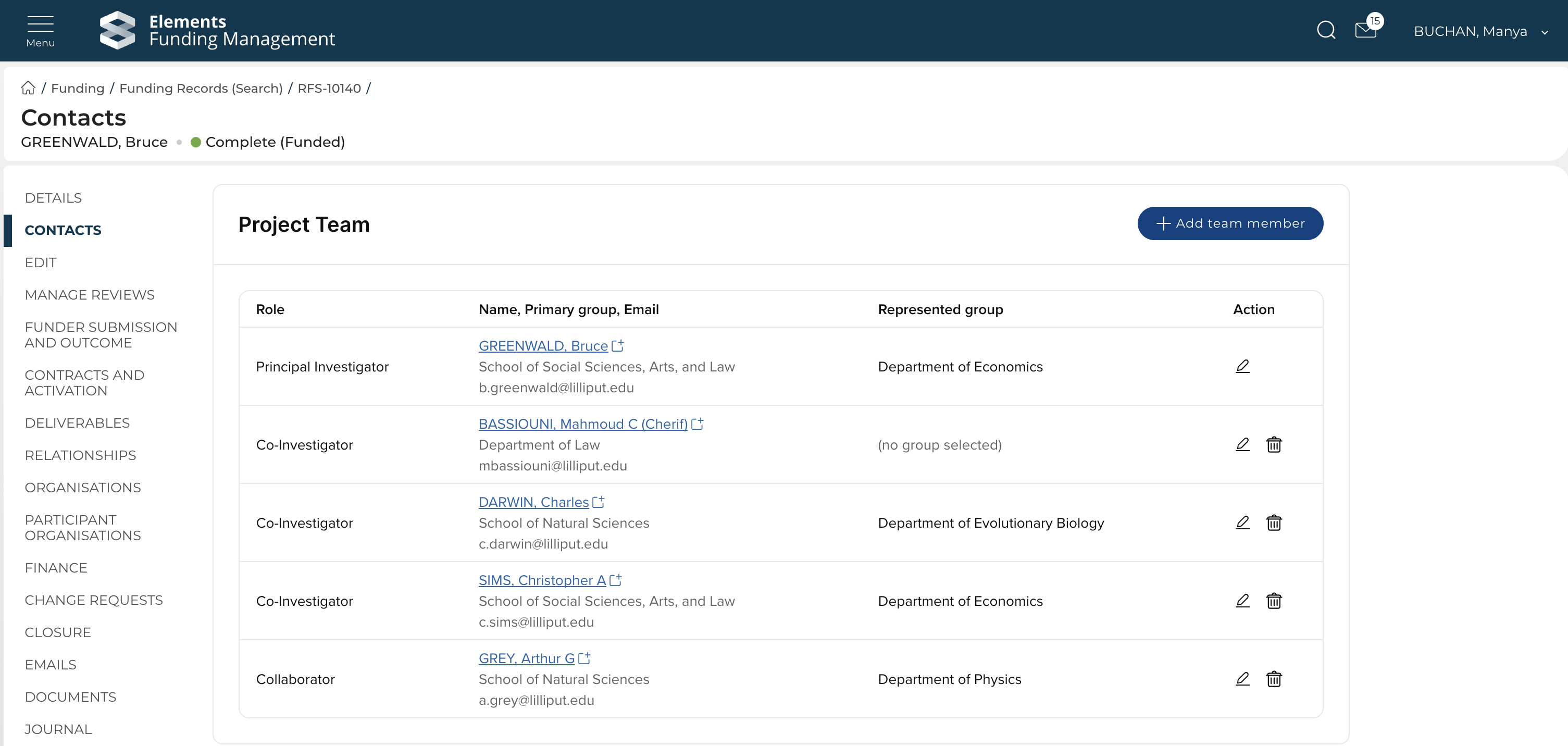
New Deliverable name field
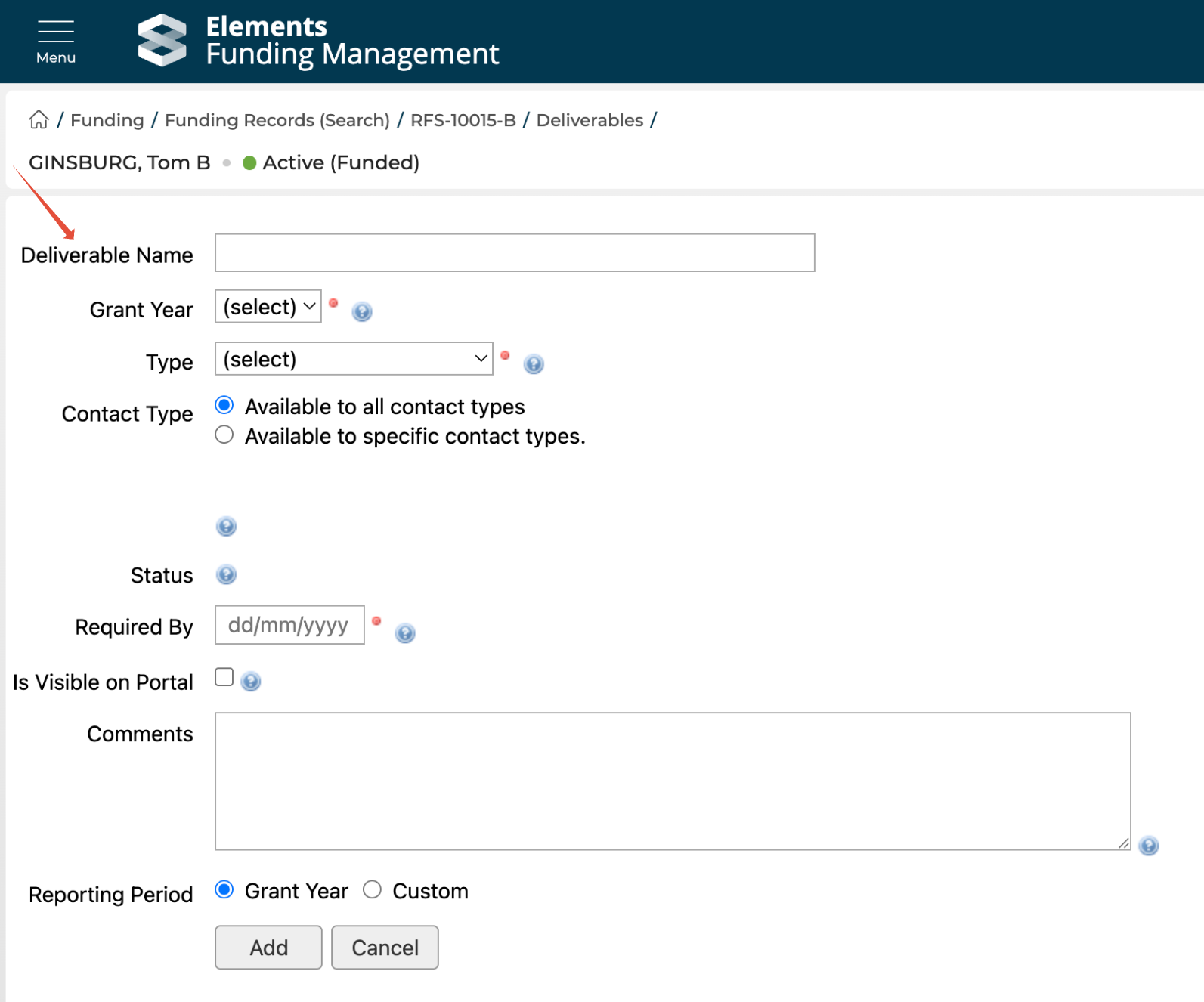
In this release, we have introduced a new 'Deliverable name' field, enabling more granular descriptions of Deliverables. There are a number of facets to this improvement:
New core 'Deliverable name' field
New 'Deliverable name' form control
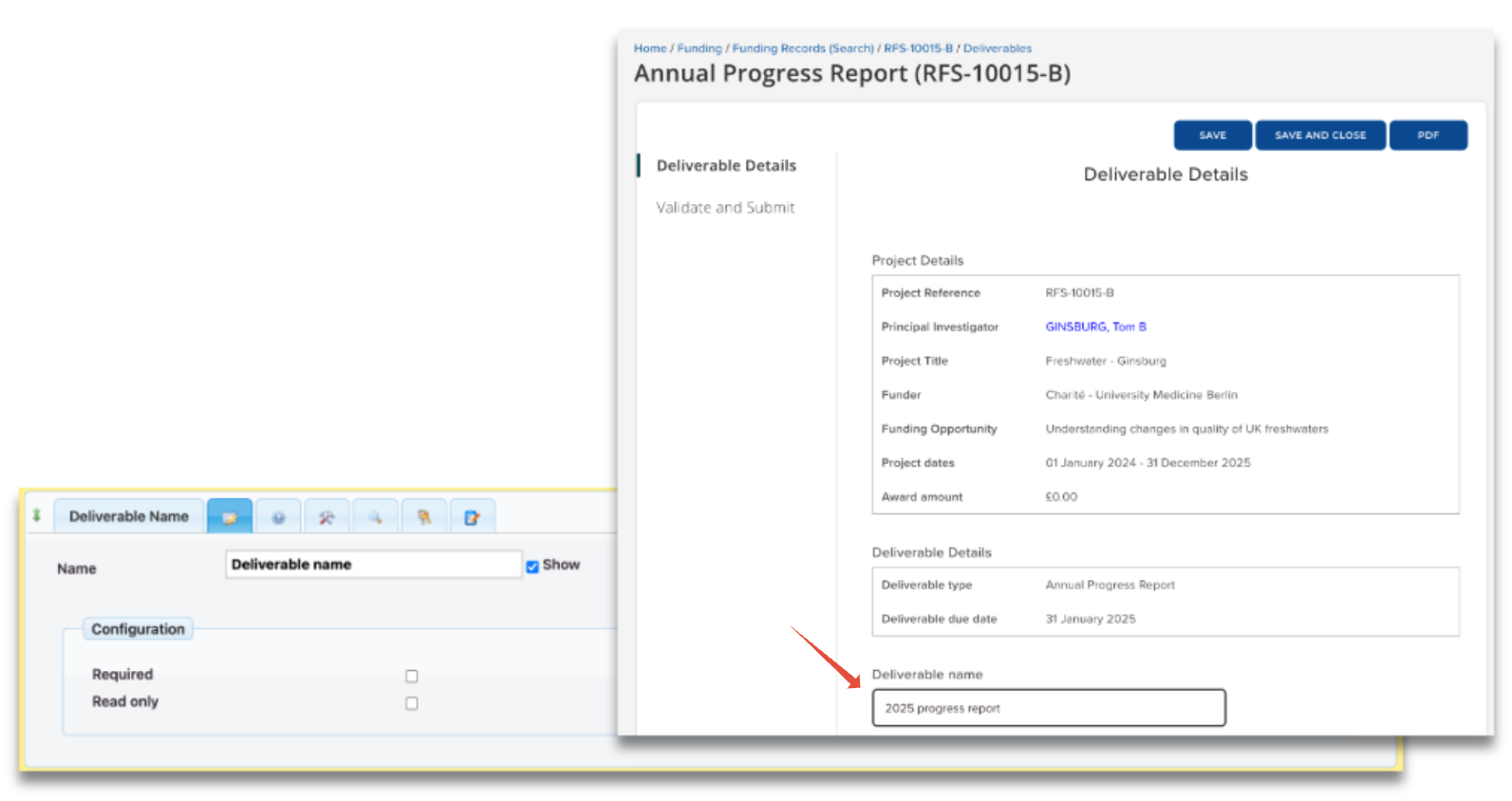
Updated display of Deliverable details on the Proposal and Project details portal pages (the 'Name' column is hidden if no deliverables have a Name populated)
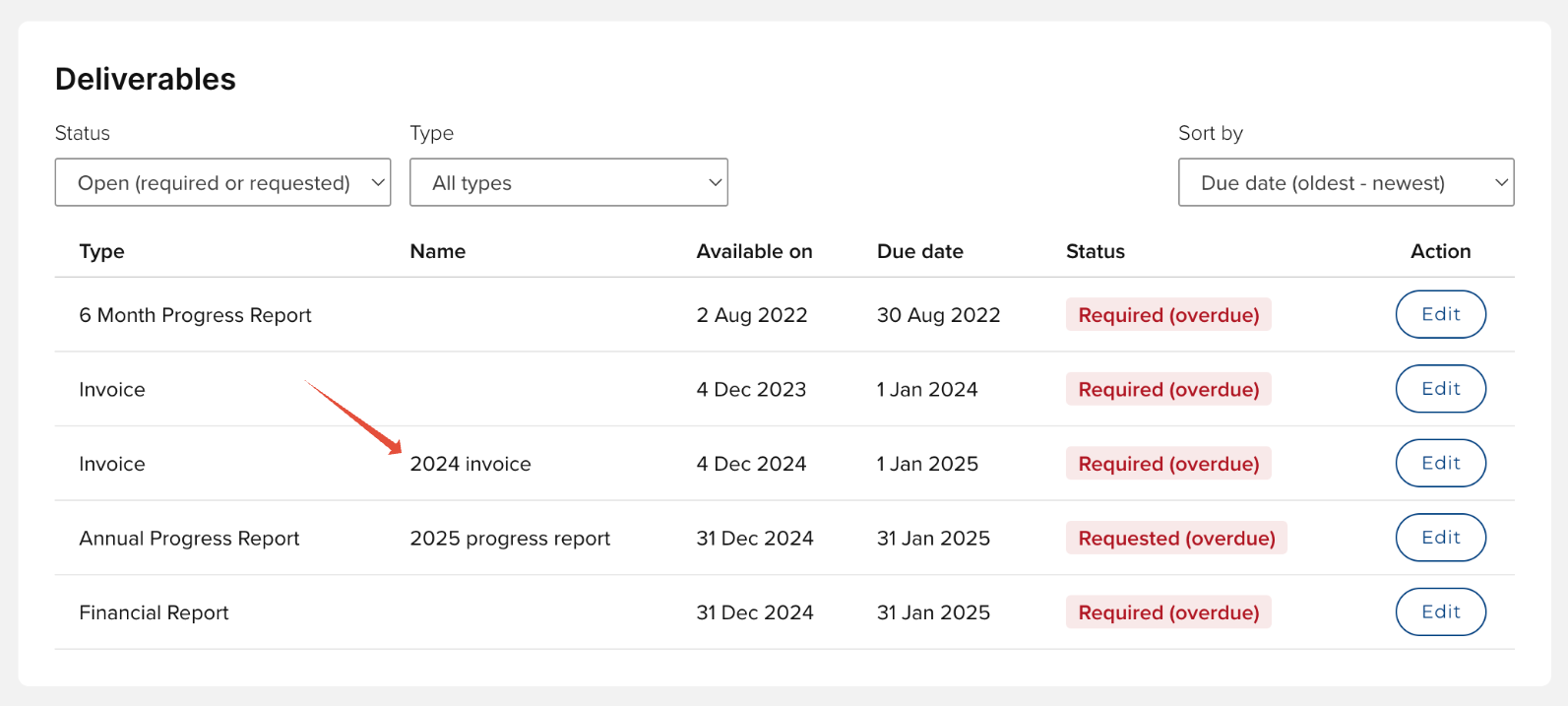
Updated results display on relevant Console pages to include the Deliverable name
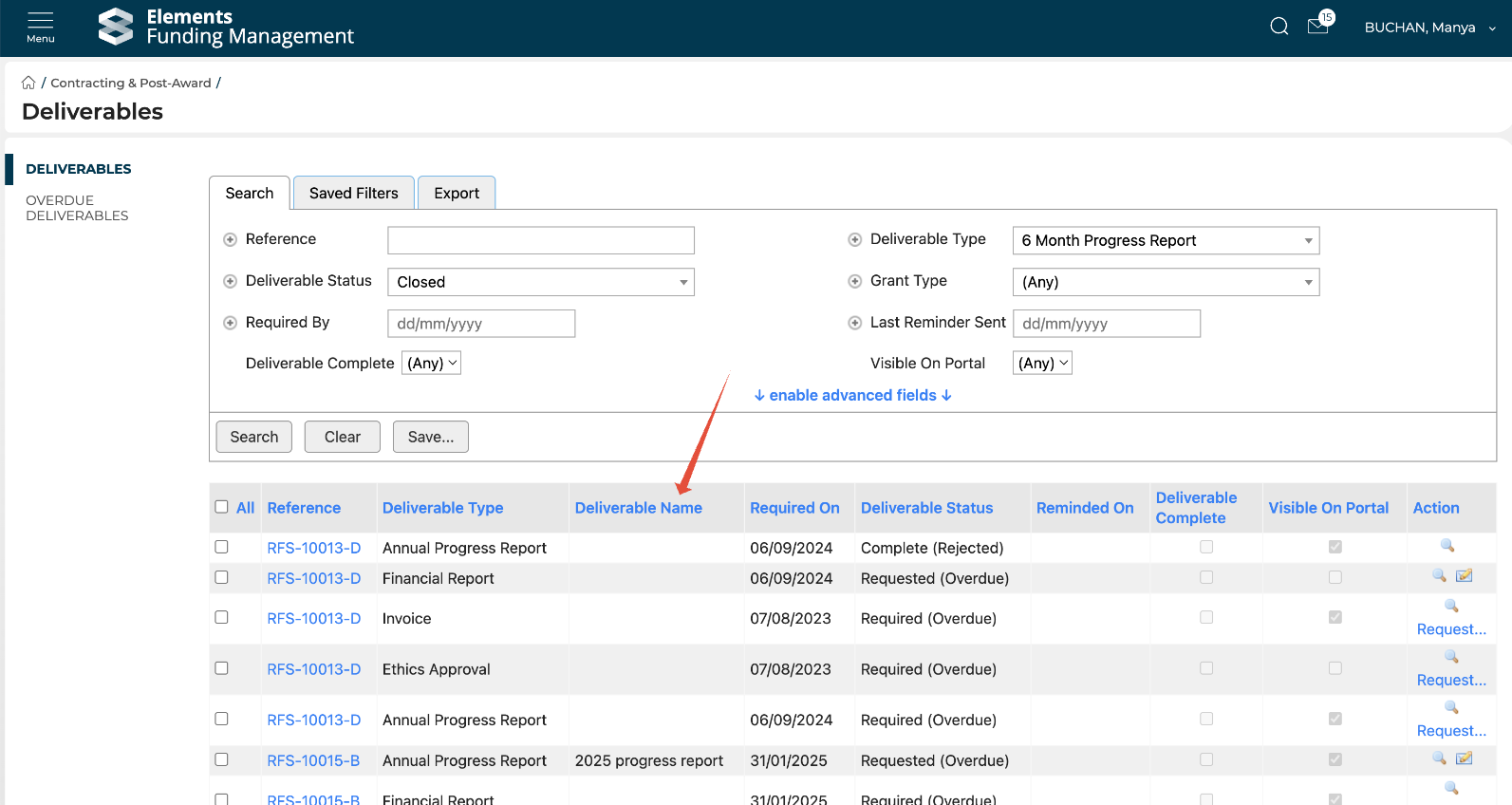
The /v1/deliverables/{id} API endpoint has been updated to return the 'Name' value.
For those clients that already capture equivalent information in a dynamic field, this data will automatically migrate to the new Deliverable name core field upon upgrade to v7.2.
API
In this release, we have expanded the content available to query via the API, enabling support for more comprehensive reporting and integration with institutional BI tools. In this release we have added the following data to the Funding Records endpoints:
Contract status history
Represented group for each project team member
Grant Manager user ID (aka fundingRecordManager)
As described above, the Deliverables API endpoint has also been updated to include the new 'Name' field.
Further detail on the Awards Management API is available here.
Expansion of content available in the reporting database
This release also includes the addition of new Awards Management content in the reporting database.
Project team group affiliations
As described above, this release includes the ability to capture of each collaborator's represented group, selected from the user's existing group membership(s). The following tables have been updated:
'principal-investigator-group’ and 'principal-investigator-group-id' fields added to the following reporting db tables:
[rfs].[Research Funding Proposal]
[rfs].[Research Funding Proposal Record]
[rfs].[Research Funding Project]
[rfs].[Research Funding Project Record]
'Represented Group’ and 'Represented Group ID' fields added to the following reporting db tables:
[rfs].[Research Funding Proposal Record Person]
[rfs].[Research Funding Project Record Person]
Note that for already activated projects, the associated data in the proposal tables will not update as proposal data was snapshotted at the point of project activation.
Grant Manager user ID
The following tables have been updated to populate the [grant-manager Resolved User ID] field:
[rfs].[Research Funding Proposal]
[rfs].[Research Funding Proposal Record]
[rfs].[Research Funding Project]
[rfs].[Research Funding Project Record]
Contract status history
Two new tables have been added to enable reporting on contract status history:
[rfs].[Research Funding Proposal Record Contract Status History]
[rfs].[Research Funding Project Record Contract Status History]
In an upcoming release we plan to expand this data to include the dates manually captured against each status change.
Note that for data to appear in these new tables, you may need to initiate a full harvest for Proposals and Projects via the Awards Management integration monitor. Also, for already activated projects, the associated data in the proposal tables will not update as this data was snapshotted at the point of project activation.
Other improvements and bug fixes
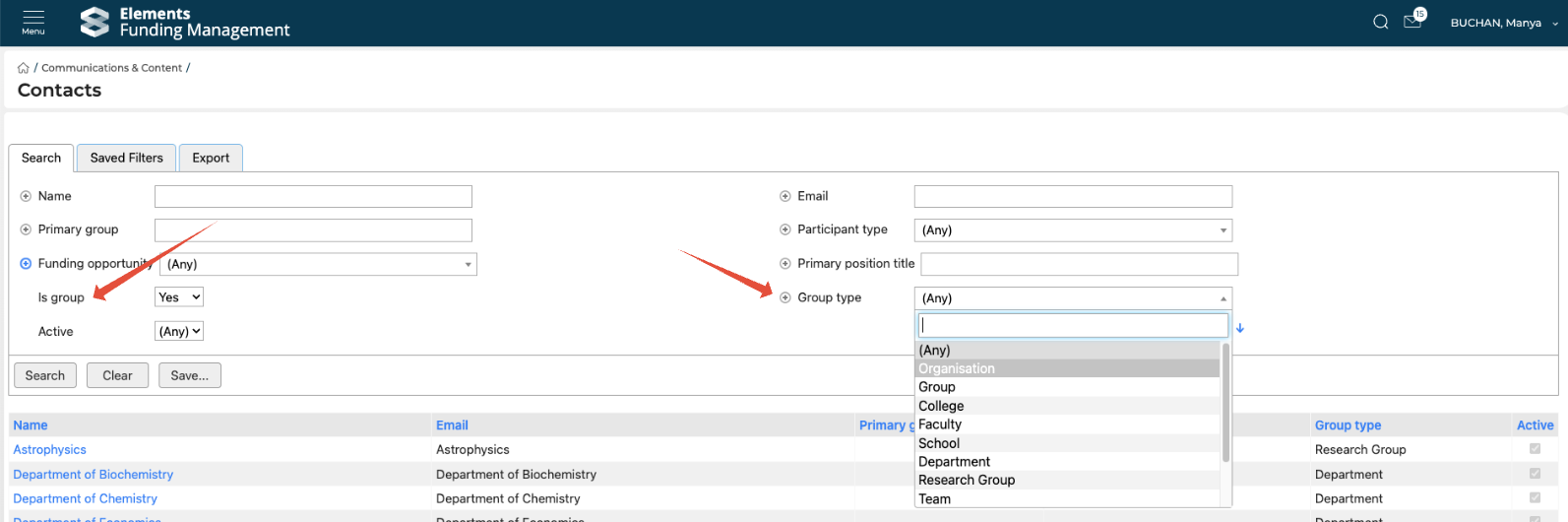
We have expanded the harvest of Group data from Elements into Awards Management to include group type, and this is now available in the Management Console as follows:
On the Contacts page for Groups.
On the Contacts search page as a filter (along with a new 'Is group' filter).
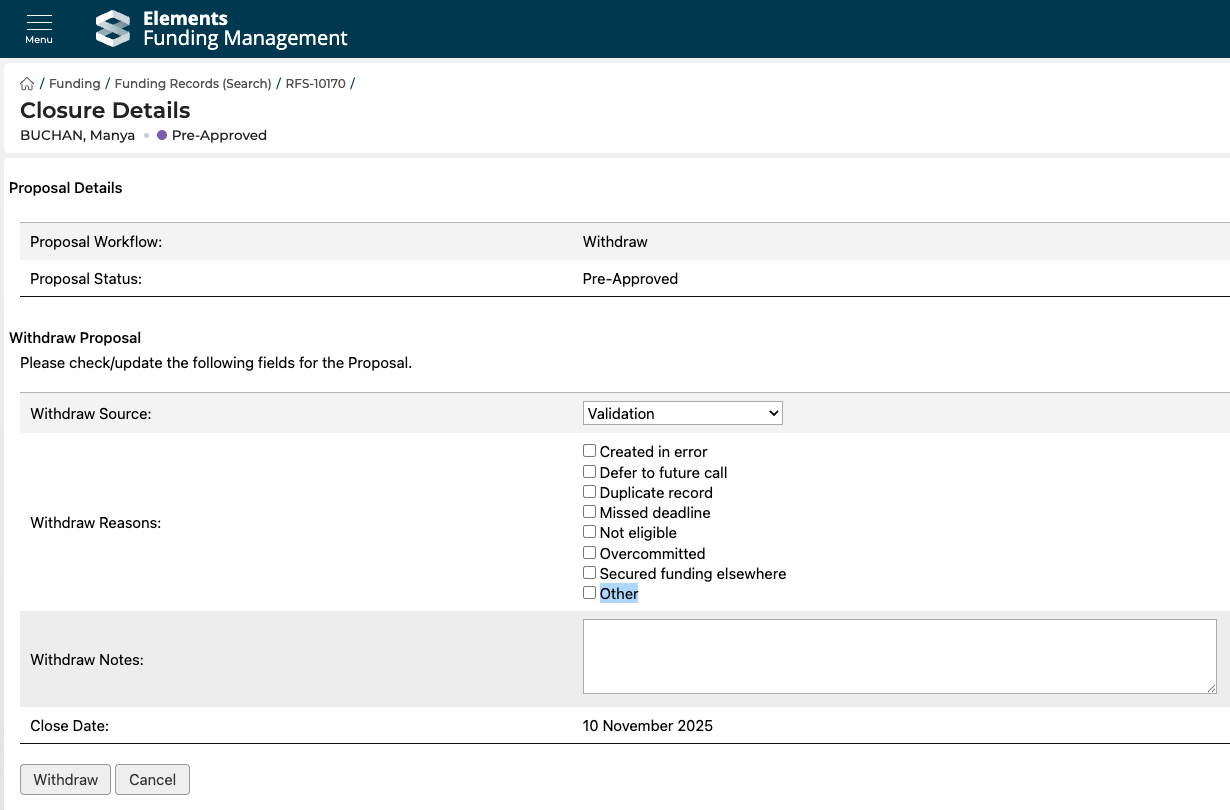
We have added an additional 'Other' value to Withdrawal and Termination reasons.
The Finance Manager (Funding) role's permissions have been expanded to include access to Funding Opportunities in the Management Console
We have resolved an issue where, due to timezone handling inconsistencies, some open Funding Opportunities were also flagged as opening soon.