
REF dashboards

Released : 5.20
REF dashboards
In the 5.20 release, we have published a number of REF2021 dashboards that present various analyses at the Unit level. Details are outlined below.
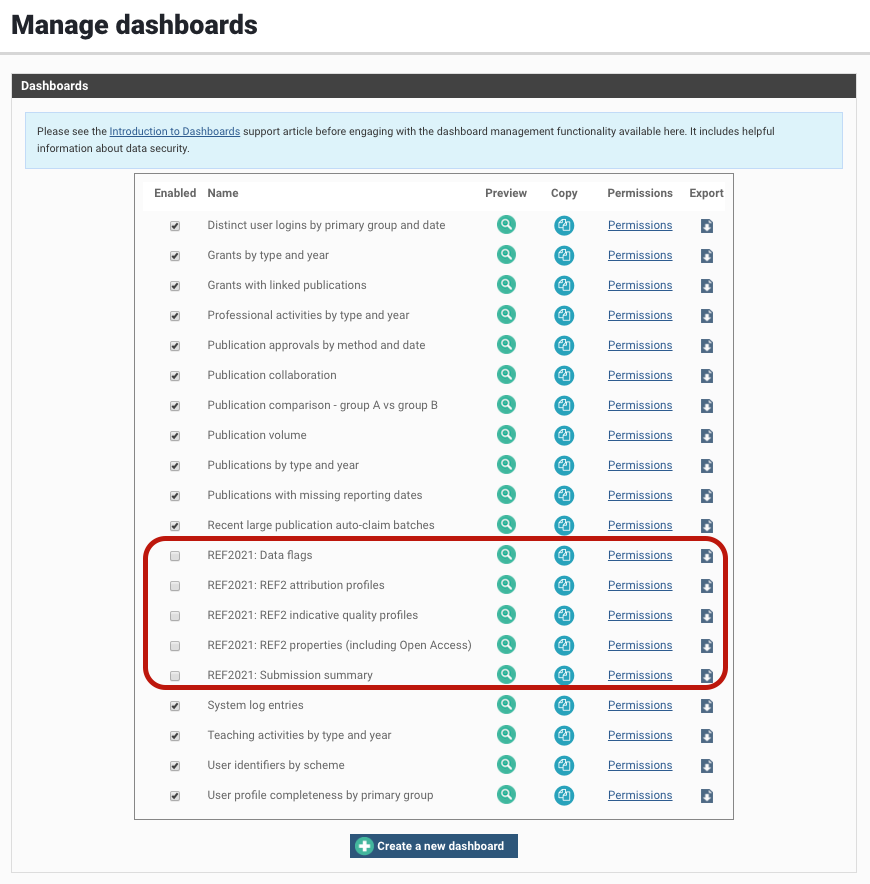
Note that the REF2021 dashboards are by default disabled. To make them accessible to specified users (see below), they must first be enabled.
You will also be interested in reading additional support articles on Elements' Dashboards.
Dashboard | Description |
Provides a summary of the REF1 and REF2 elements of the selected Unit's REF2021 submission. Includes Cat A FTE, Cat A and B headcounts, and a REF2 attribution summary including tracking the number of attributed REF2s against the number required. | |
Provides a number of indicative quality profiles for REF2 Outputs. | |
Provides a number of REF2 attribution profiles. Includes the number of REF1 Researchers each with 5, 4, 3, etc. attributions, Cat B attribution profile, and Research Group attribution profiles. | |
Provides a summary of REF2 properties of attributed REF2 Outputs, including double-weighting, pending, reserves, cross-referrals, interdisciplinary, double-attributions, output type, publication year, etc. Also includes a profile of the REF Open Access status, highlighting where the threshold for non-compliance has been met (or not). | |
Highlights data consistency issues across the REF submission in the selected Unit, including >5 or 0 attributions for included REF1 Researchers, missing Research Group assignments, missing REF2 Output type, and Data confirmation workflow status. It does not specifically include REF submission validation (see separate REF Validation registered report) (although there will be some overlap). |
User access to REF dashboards
Use the standard role assignments control, reached by clicking on the Permissions hyperlink, to assign individuals or groups to the Dashboard Viewer role on your dashboard. Once the dashboard is Enabled, this will allow the specified users to view the dashboard.
Note that the Dashboard permissions model is not directly linked to Assessment module roles (including the Unit manager role). As such, if a user is given access to a dashboard, they will be able to view that dashboard for all Units. All REF dashboards only present data at the aggregate level for each Unit; you should ensure that you are happy with the configured set of users having access to this level of data.
Synchronisation with the Reporting Database
Dashboards may not immediately reflect recent changes to data. Depending on the changes made, these may require synchronisation to the Reporting Database, which is not always immediate.