REF2 form

Released : 5.16
Updated : 5.17, 5.18, 5.20
REF2 Form
REF2 Research outputs are accessed via the Manage REF2 Research Outputs screen. Each output has a single REF2 form per UoA.
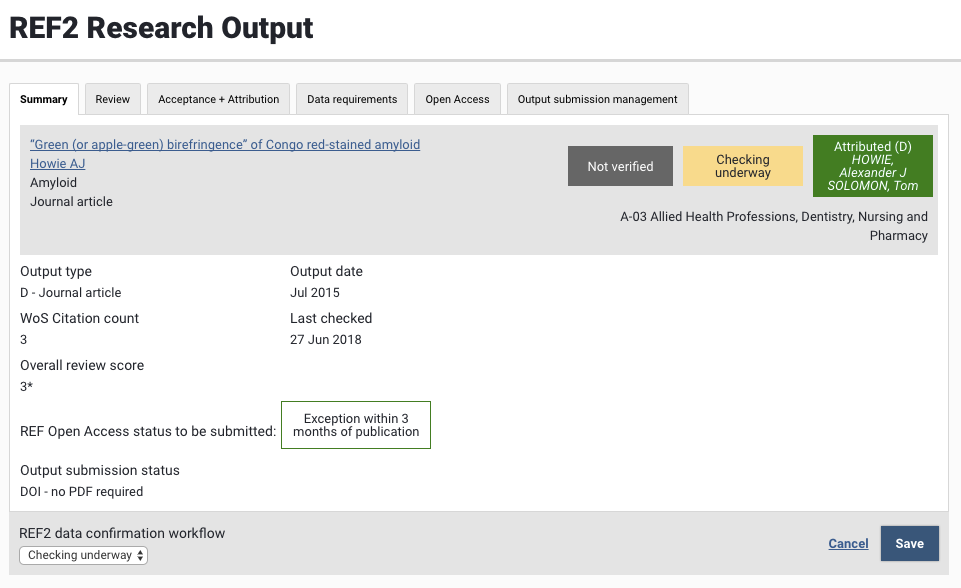
Each tab of the REF2 form includes a REF2 header containing some summary-level information:
Publication title (clicking on the title will open the associated Publication record in Elements)
Author list (with associated REF1 Researchers displayed as hyperlinks (which will open the associated User record in Elements)
Journal name (where relevant)
Publication type
Unit of Assessment
Labels indicating various statuses:
Verification status of the associated Publication record
REF2 data confirmation workflow state
REF2 Selection state
(D) indicates the REF2 is selected as double-weighted
(P) indicates the REF2 is selected as pending
(R) indicates the REF2 is selected as a double-weighting or pending reserve
The REF2 form is composed of a number of tabs:
Tab | Description |
|---|---|
Provides summary REF2 information, including:
| |
Enables the capture of an overall predicted score for the REF2, and displays all peer reviews captured against the output | |
Supports acceptance and attribution workflows, including:
| |
Capture all REF2-specific metadata such as:
| |
Display current Open Access compliance status, mapped to the REF OA compliance status, with the function to override | |
Display information relating to the electronic and physical submission of outputs to REF |
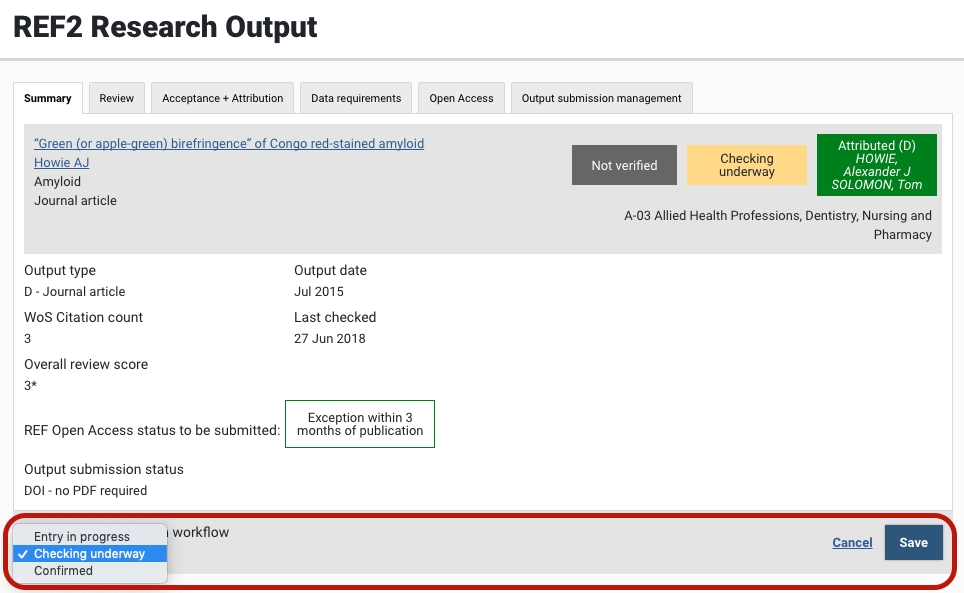
Further, the REF2 form includes a Data confirmation workflow, helping to support you in managing the compilation and checking of all required REF2 data. The values available are:
Entry in progress
Checking underway
Confirmed
This is a single workflow for the REF2 form as a whole, but is accessible from any tab within the form.