
Introduction to dashboards
This article refers to dashboard functionality in Elements v5.19 and later. Before this version, dashboards did not support use of the Reporting Database and could not be designed within the browser.
This article continues from the following article, which introduces several broad concepts relevant to dashboards as well as other forms of reporting in Elements:
Elements dashboards are customisable, interactive visualisations of data within the Elements user interface. Designed and managed by nominated Reporting Hub administrators, they can be used to quickly convey summary information about any type of available information to a targeted set of users of Elements.
Dashboards can only be created, copied and customised if you license the Analytics Module. The ability to view stock dashboard is available under the Core licence.
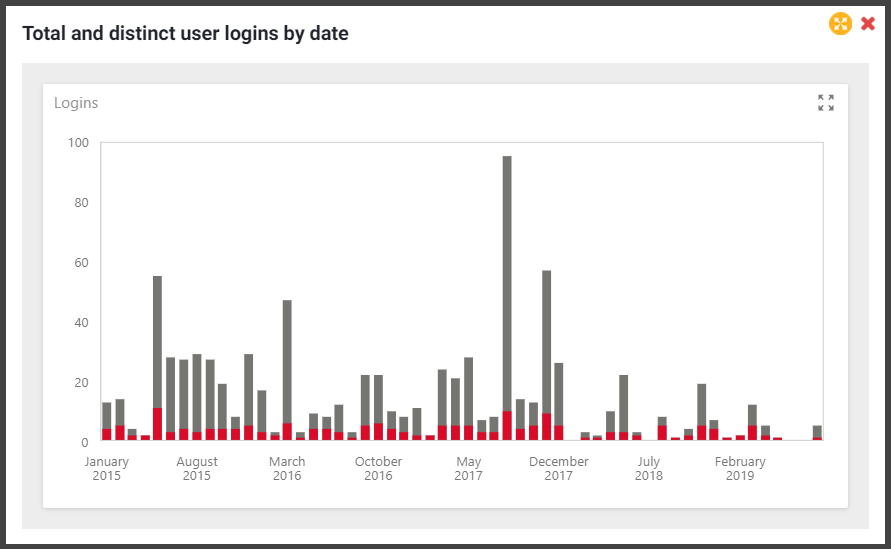
Purpose
Dashboards are great for summarising data using graphical and tabular visual components, at providing filtering, drill-up and drill-down interactivity to explore data (depending on the dashboard), and at providing the ability to extract summary data (depending on the dashboard).
However, dashboards are not intended to display very large amounts of data that have not been suitably aggregated (for example, tables with very many rows of data or graphs with very many data points). They are also not intended to provide the ability to extract large datasets from underlying data. Symplectic will be aiming to release separate reporting functionality to support the direct extraction of large datasets from the Elements user interface during 2021.
Please also see:
Prerequisites
Analytics module licence subscription
A licence subscription to the Analytics Module is required to copy, edit and create custom dashboards in Elements. Stock dashboards can be viewed with a Core licence.
Reporting and Analytics Databases
All dashboards source their data from one or both of the two supported dashboard data sources: the Elements Reporting Database and the Elements Analytics Database. Both of these databases must be installed in order for all dashboards to function correctly. For clients hosting their own instances of Elements, please see the following support articles on how to install the required databases:
Installation of these databases is handled by Symplectic for hosted instances of Elements.
Custom dashboards
Hello, world!
For a quick start, we suggest you run through both of the following 'Hello World' examples of dashboard creation. There is one for each of the supported dashboard data sources. These will give some immediate familiarity with the steps and concepts involved in dashboard design and management. We discuss the differences between the two supported dashboard data sources below.
Reporting Database vs Analytics Database
Dashboards do not source their data directly from the Elements operational database. Instead, they source their data from one or both of the secondary Elements databases specifically designed for use by Business Intelligence tools:
The Elements Reporting Database is a customisable traditional relational SQL database supporting direct SQL query access by your institution's data analysts, their BI tools such as Excel or Tableau, and much of the reporting functionality (including some dashboards) in Elements. It is updated continuously as changes are made to underlying data in the Elements operational database.
The Elements Analytics Database is a non-customisable OLAP database supporting direct MDX query access by your institution's data analysts, their BI tools, and some of the dashboards in Elements. It is updated nightly from data in the Reporting database.
More information about the pros and cons of using each data source is presented in the following support article:
A wide selection of support articles dedicated to the Reporting Database are available in the following location. All of the tables and views in the Reporting Database are available for use in your dashboards.
Reporting Database documentation
The dashboard design experience is slightly different for the two data sources. As a rule of thumb, you will almost always want to use the Reporting Database (SQL) for its wider range of data, its greater flexibility, and its lower latency, and the Analytics Database (OLAP) for dashboards where acceptable performance cannot otherwise be achieved.
Dashboard designer
The integrated dashboard designer provides a wealth of configurable dashboard options and visual component types, as well as an integrated SQL query builder, providing you with all you need to design functioning dashboards, right in your browser.
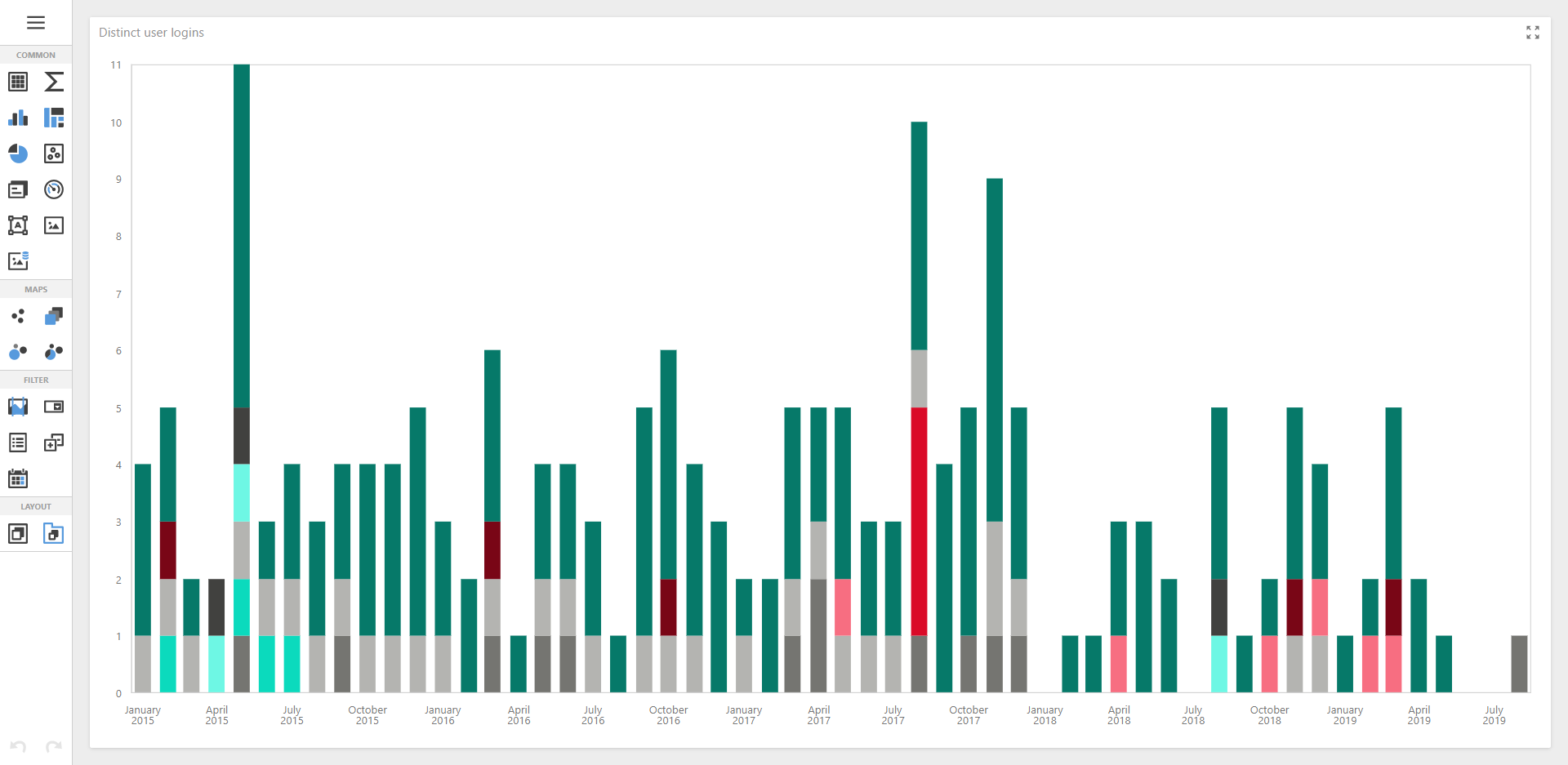
The dashboard viewer/designer component used by Elements is provided by DevExpress, who offer the following detailed online end-user documentation covering the details of the component's user interface. Please note that some variation between the available documentation and the dashboard designer presented in your version of Elements may be found as DevExpress's latest documentation is updated. In addition, Elements has customised some of the components of the dashboard designer UI, such as its menu system.
Advanced topics in dashboard design
We have compiled a few useful tips and tricks when it comes to dashboard design. The following article discusses some advanced topics to help you save time where we can: